
SEO Prepared Your Website for Google. This Prepares It for What’s Next

If you’ve worked with us on your website, there’s a good chance we’ve done technical SEO work for you at some point. We’ve optimized your page titles, cleaned up your meta descriptions, improved your site speed, fixed broken links, submitted your sitemap — all the behind-the-scenes work that gives your website the best possible chance of showing up when someone searches on Google. That word — chance — matters. We’ve always been straightforward about this: SEO is preparation, not a guarantee. Google decides who ranks where, and no one can promise you a #1 spot. What we can do is make sure your website is technically sound, properly structured, and putting its best foot forward. The rest is up to the algorithm. We bring that same honest philosophy to the work we’re doing now — except the playing field has changed. The new search landscape looks different. For twenty-five years, “search” meant Google. You optimized for Google’s rules, and if you did the work, Google rewarded you with traffic. That system still exists, but it’s no longer the whole picture. Today, your customers are also searching through AI. They’re asking ChatGPT for recommendations. They’re getting answers from Google’s own AI Overviews before they ever see a traditional search result. They’re asking Siri and Alexa who to call. These AI systems don’t work the same way Google’s traditional search does — and a website that’s perfectly optimized for old-school SEO may be completely invisible to them. Think of it this way: technical SEO is like making sure your storefront has a visible sign, clean windows, and a working front door. AI optimization is making sure your business shows up on the new map that everyone’s starting to use instead of driving down the street. What AI optimization actually involves. Just like technical SEO, AI and voice search optimization is about preparation — doing the structural work that gives your website the best chance of being seen, cited, and recommended by AI tools. It’s not magic, and we won’t pretend it is. Here’s what the work includes: AI Search Content Optimization restructures your key pages so that AI systems can read, understand, and trust your content enough to cite it. This is similar to how we’ve always structured content for Google — but the formatting rules are different, and AI tools are looking for different signals. Voice Search Optimization aligns your content with how people actually talk when they search out loud. Traditional SEO focused on typed keywords. Voice search is conversational, question-based, and local — and your content needs to match that. FAQ Schema Implementation adds structured markup that tells AI and search engines “this is a question, and here’s the answer.” It’s the kind of behind-the-scenes technical work that’s very similar to the schema and metadata work we already do for traditional SEO — just pointed at a different target. llm.txt Deployment is brand new. It’s a file you place on your website that gives AI crawlers a roadmap to your most important content. Think of it like a sitemap, but written specifically for AI systems. Businesses adopting this now have an early-mover advantage. What we can promise — and what we can’t. Just like with traditional SEO, we need to be clear: we don’t control the algorithms. We can’t guarantee that ChatGPT will recommend your business or that Google’s AI Overview will cite your page. No one can, and anyone who promises that isn’t being honest with you. What we can guarantee is that the work gets done right. We’ll make sure your website is properly structured, clearly written, and technically prepared to perform in the AI-powered search landscape. We’ll give your business the best possible foundation — the same way we’ve always approached technical SEO, just adapted for where search is heading. The businesses that do this preparation now will have a meaningful advantage over those that wait. That much we’re confident about. We put together a report that explains all of this in detail. The 2026 Website Readiness Report breaks down what’s changing, why it matters, and exactly what the optimization work looks like — in plain language, with no hype. ➤ Download the 2026 Website Readiness Report — Free If you are on a webkeeping plan, this work can be done under your normal hourly allotment, or we offer a flat rate option if you’d prefer to fix the cost. Either way, we’re here when you’re ready.
What is a Webkeeper?

You build websites. That’s what you tell people at parties, and it’s true. But it’s not the whole picture. Because after the launch — after the confetti and the “it looks amazing” emails — your phone keeps ringing. And it’s not about the next build. It’s about the last one. “The form stopped working.” “Can you change the hours on the homepage?” “Our payment processor sent us an email and we don’t know what it means.” “There’s an update and now everything looks different.” “We just need someone to handle this.” So you handle it. You fix the form. You update the hours. You call the payment processor and figure out what changed. You run the update and test everything afterward. You do it because the client trusts you, and because nobody else is going to. Related article: What are Webkeeping Services? You may not have a word for this work. But there is one. You’re a webkeeper. The Work That Doesn’t Have a Name Every web professional knows there are two kinds of work. There’s the project — the big build, the redesign, the new site. And then there’s everything after. The “after” work is where most of the trust gets built. It’s the ongoing relationship. The retainer. The monthly check-in. The “hey, can you take a look at this?” calls. It’s not glamorous. Nobody gives conference talks about updating a dentist’s holiday hours or reconnecting a church’ event registration form. But it’s steady, it’s needed, and for a lot of small web shops, it’s what keeps the lights on. The problem is, this work has never had a professional identity. “Website maintenance” undersells it. “Managed services” sounds like enterprise IT. “Support” sounds like a help desk. None of those words capture what it actually means to be the person a small business calls when anything on their web isn’t working. Webkeeping is that word. And a webkeeper is the person who does it. What a Webkeeper Actually Does Think of it like bookkeeping. A bookkeeper doesn’t just balance one account — they manage all of your books, ongoing, so you don’t have to think about it. A webkeeper does the same thing for everything a business does on the web. That includes the obvious stuff: website updates, content changes, design tweaks. But it also includes the operational layer that most businesses now depend on — payment portals, scheduling systems, online forms, member directories, event registration, document repositories. The tools that customers, patients, members, and constituents actually use to interact with an organization. A webkeeper manages all of it. Not just the website. Everything web-based that the business needs to keep running. And when things change — when a vendor gets acquired, when a platform sunsets a feature, when an integration breaks after an update nobody asked for — a webkeeper is the one who picks up the phone, says yes, and figures it out. You Might Already Be One If you’re reading this, there’s a decent chance you already do this work. You just call it something else. Maybe you call it “maintenance clients.” Maybe you call it “ongoing support.” Maybe you don’t call it anything — it’s just the part of your business that happens between the projects. Here’s the question worth asking: is that the work you want to be doing? Some web professionals love the build and tolerate the maintenance. The ongoing support is a revenue stream, but it’s not the thing that gets them out of bed. If that’s you, there’s no shame in it. But those clients still need someone. And handing them off to a dedicated webkeeper means they’re taken care of — and you get to focus on what you actually want to do. Other web professionals discover that the ongoing work is actually what they’re best at. The relationships. The trust. The satisfaction of being the person someone calls when they need help. If that’s you, then congratulations — you’re a webkeeper, and there’s a growing community of people who do exactly what you do. Either way, the word exists now. And it changes how you think about the work. Why This Matters Right Now The web is getting more complicated. Every tool a business uses is adding AI features, changing its pricing, updating its interface. New platforms launch every week. And the people who set up these systems for small businesses — the freelancers, the small agencies, the solo operators — a lot of them are stepping back. The industry is shifting, and some shops are closing. But the dentist’s scheduling system still needs to work. The town’s water bill portal still needs to accept payments. The church’s event registration still needs to function for the fall retreat. Those organizations don’t stop needing help just because the person who built their site moved on. That’s why webkeeping matters. Not as a buzzword, but as a professional category. The work is real. The need is growing. And the people who do it well deserve a name for what they do. Parker Web Has Been Webkeeping Since 1999 We didn’t coin the term to sell a product. We coined it because after years of doing this work, we realized there wasn’t a word for it — and there needed to be. Parker Web handles about 5,000 support requests a year for small businesses and community organizations in 31 states. We’ve maintained a 99% client satisfaction rating. We work in WordPress, Joomla, Shopify, HubSpot, Squarespace, and most other platforms. If it’s on the web and a business depends on it, we handle it. We’re not the only webkeepers out there. But we might be the first ones to say it out loud. Let’s Talk Whether you’re a webkeeper yourself and want to connect with others doing this work, or you’re a web professional looking to hand off maintenance clients to someone who’ll treat them right — we’d like to hear from you. Call us at 877-321-2251 or visit parkerweb.com/partners. Related: See
What are Webkeeping services?
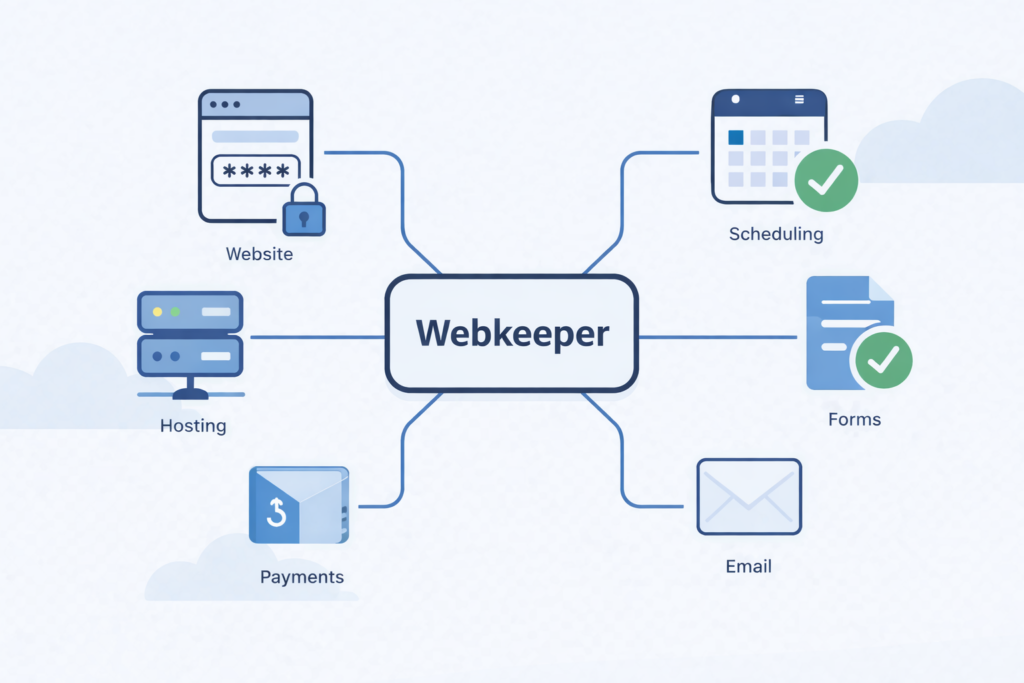
If you run a small business, a church, a municipality, or a community organization, you depend on things that live on the web. Your website is one of them. But it’s probably not the only one. There’s also the payment portal where your customers pay their bills. The scheduling system where your patients book appointments. The forms your constituents fill out for permits or registrations. The grade portal parents check every week. The public agendas your board posts before every meeting. The event registration your members use to sign up for the mission trip. All of that is web-based. All of it needs to keep working. And most of it was set up by someone, at some point, and nobody inside your organization fully understands how it all connects anymore. Related article: What is a webkeeper? That’s what webkeeping is. It’s the ongoing management, maintenance, and care of everything your organization does on the web. It’s Bigger Than Your Website We’ve been providing website maintenance services since 1999. For a long time, that described the work pretty well. A client would call and say “can you change the phone number on the contact page” or “we need to add the new holiday hours,” and we’d handle it. Usually within a few hours. We still do that, every day. But over the years, the work grew. Clients started asking us to set up their payment portals. Connect their scheduling tools. Build their online forms. Manage integrations between systems that were never designed to talk to each other. And when any of it broke — when the scheduling vendor pushed an update that changed everything, when the payment processor changed its requirements, when a form stopped working after a plugin update — they called us. They didn’t call because they wanted to learn how to fix it themselves. They called because they had patients to see, meetings to run, customers to serve. They needed someone to just handle it. “Website maintenance” doesn’t really cover that anymore. Webkeeping does. What Does a Webkeeper Actually Do? Think of it like a bookkeeper. A bookkeeper doesn’t just balance one account. They manage your books — all of them, ongoing, so you don’t have to think about it. A webkeeper does the same thing for everything your business does on the web. Here’s what that looks like in practice: Website updates and changes. Text, images, pages, new content, design tweaks. The core of what we’ve always done, and what we’ll keep doing. Operational systems. Payment portals, scheduling tools, online forms, document repositories, event registration, member directories. The stuff your customers, patients, constituents, and members actually use to interact with your organization. Third-party tool management. Your web presence probably relies on a half-dozen tools from different vendors — your hosting, your CMS, your email platform, your form builder, your payment processor, your scheduling widget. Each one has its own updates, its own pricing changes, its own occasional breakdowns. A webkeeper keeps track of all of it so you don’t have to. Triage when things change. And things are changing faster than ever. Your scheduling vendor gets acquired and announces a new interface. Your form builder sunsets the version you’ve been using. Your CMS pushes an update that breaks an integration you didn’t even know existed. A webkeeper gets the call, says yes, and figures it out. Why Now? The honest answer: the web is getting more complicated, not less.Every tool your business uses is adding AI features, changing its interface, adjusting its pricing. New tools are launching every week that claim to solve problems you’re not sure you have. Your inbox has pitches from vendors you’ve never heard of. And your web person — the freelancer who set up your site five years ago — may not be around much longer. A lot of small web shops and independent operators are closing as the industry shifts. When that happens, their clients don’t stop needing help. The dentist’s scheduling system still needs to work. The town’s payment portal still needs to accept water bill payments. The church’s event registration still needs to function for the fall retreat. Those clients need a webkeeper. Someone who picks up the phone, says yes, and handles it — the way it’s always been done around here. How Is Webkeeping Different From Website Maintenance? It’s not different. It’s bigger. Website maintenance is part of webkeeping — the part focused specifically on your website. Webkeeping covers the website plus everything else web-based that your organization depends on. If it runs in a browser and your business needs it to work, it falls under webkeeping. Think of it this way: a plumber doesn’t just fix toilets. A plumber handles everything connected to your water systems — sinks, water heaters, pipes, drains, supply lines. You call a plumber and whatever the water problem is, they handle it. A webkeeper is the same idea for everything your business does on the web. Whatever the web problem is, we handle it. Parker Web Has Been Doing This Since 1999 We just didn’t have the word for it until now. For 27 years, we’ve been the people small businesses and community organizations call when something on their web isn’t working, or when they need something changed, or when a vendor makes their life complicated. We answer the phone. We say yes. We fix it. We resolve about 5,000 support requests a year, and in 2023, our clients gave us a 99% “very satisfied” rating. We’re a U.S. company with U.S.-based employees, serving clients in 31 states. We work in WordPress, Joomla, Shopify, HubSpot, Squarespace, and most other web platforms. If it’s on the web and your business depends on it, we can help. That’s webkeeping. And we’d love to be your webkeeper. Have questions about webkeeping services or want to find out if Parker Web is a good fit for your organization? Give us a call at 877-321-2251 or get started here. It doesn’t cost anything for an
Strengthen Your Security: Use a Password Manager & Try Passkeys
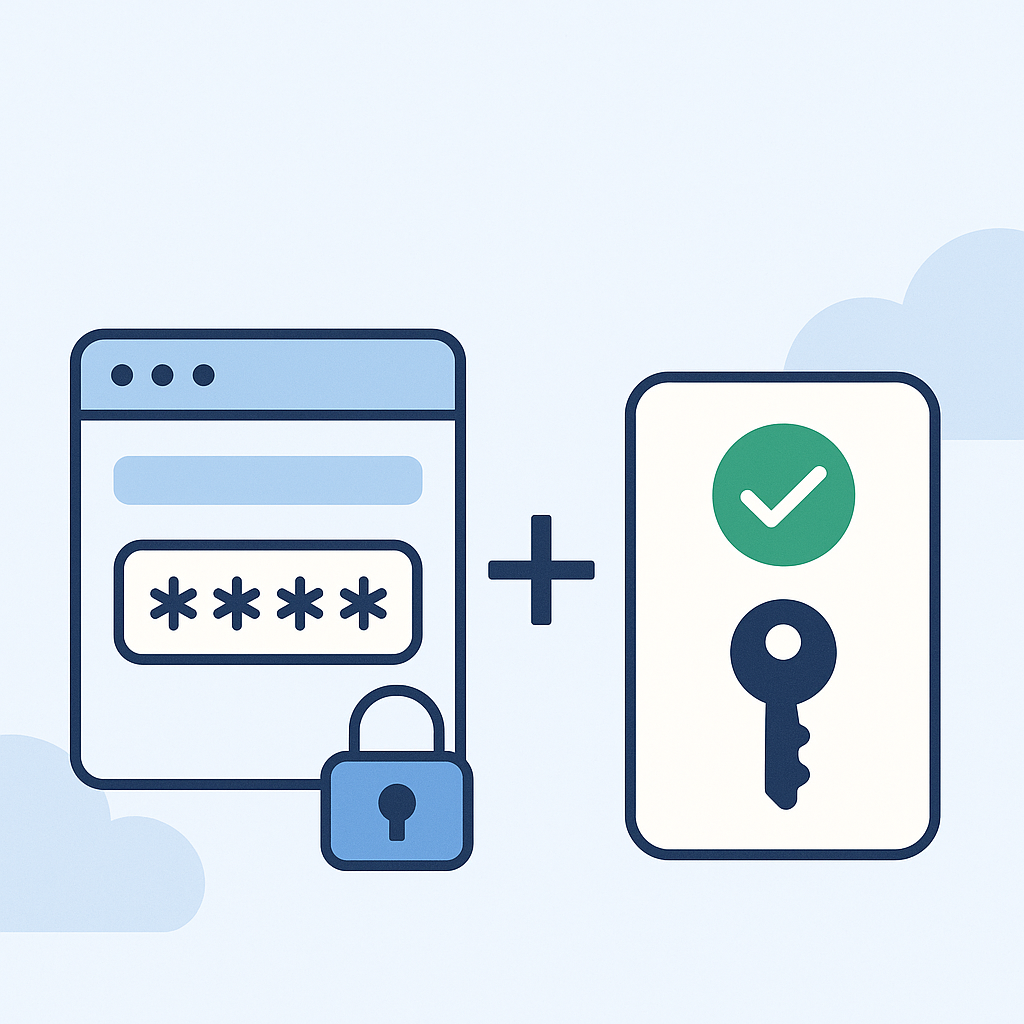
This is a follow up to our alert about the recent global password hack. Two security-strengthening tools that can make your digital life safer and a whole lot easier are Password Managers and Passkeys. Password Managers A password manager is basically a secure vault for all your logins. A password manager can create strong, unique passwords for each account, save and autofill your credentials across websites and apps, and keep everything synced across your devices. Trusted Password Management Tools- We recommend the following secure password managers: 1Password – https://1password.com Bitwarden – https://bitwarden.com Dashlane – https://www.dashlane.com LastPass – https://www.lastpass.com What’s a Passkey? Passkeys are a newer way to log in—no password required! They use your device’s built-in security (like Face ID, fingerprint, or a PIN) to log in securely and quickly. Benefits of passkeys: More secure than passwords Super simple to use (especially on phones) No more typing or remembering passwords Passkeys are supported by major platforms like Google, Apple, and Microsoft, as well as other services like PayPal, Shopify, DocuSign, and Adobe. Most platforms will let you set up a passkey in your account security settings. If you need help setting up a password manager or trying out passkeys, feel free to reach out—we’re happy to walk you through it. You can reach out to us by emailing support@parkerweb.com or submitting a ticket below. We’re here to help you stay safe and secure! Submit a Ticket
The Power of FAQs: Why Your Business Website Needs a Frequently Asked Questions Page

In the fast-paced world of online business, providing quick and easy access to information is crucial for customer satisfaction and conversion. One of the most effective ways to achieve this is by incorporating a well-crafted Frequently Asked Questions (FAQs) page on your business website. An FAQs page serves as a valuable resource for both potential and existing customers, offering a wealth of benefits that can greatly enhance user experience and streamline your business operations. First and foremost, an FAQs page saves time for both your customers and your business. By addressing common queries and concerns upfront, you empower visitors to find answers to their questions independently, without the need to contact your customer support team. This self-service approach not only provides instant gratification to the customer but also reduces the workload on your staff, allowing them to focus on more complex issues that require personalized attention. Moreover, a comprehensive FAQs page can significantly improve your website’s search engine optimization (SEO). By featuring relevant keywords and phrases within the questions and answers, you increase the likelihood of your website appearing in search results when potential customers are seeking information related to your products or services. This increased visibility can drive more organic traffic to your site, attracting new customers and boosting your online presence. An FAQs page also serves as a powerful tool for building trust and credibility with your audience. By providing clear, concise, and accurate information about your offerings, policies, and processes, you demonstrate transparency and a commitment to customer service. This openness helps to alleviate any doubts or concerns that potential customers may have, making them more likely to engage with your business and make a purchase. Furthermore, an FAQs page can be an effective way to showcase your expertise and establish your business as an authority in your industry. By addressing common questions and providing valuable insights, you demonstrate your knowledge and understanding of your customers’ needs. This expertise can set you apart from competitors and foster a sense of confidence in your brand. When creating your FAQs page, it’s essential to organize the information in a clear and user-friendly manner. Categorize questions by topic, such as product information, shipping and returns, payment options, and account management. Use clear and concise language, avoiding jargon or technical terms that may confuse visitors. Additionally, consider incorporating a search function within your FAQs page to allow users to quickly find the information they need. To ensure the effectiveness of your FAQs page, regularly review and update the content based on customer feedback and new developments in your business. Encourage visitors to provide suggestions for additional questions they’d like to see addressed, and use this feedback to continuously improve the resource. In conclusion, an FAQs page is a valuable asset for any business website. By providing quick and easy access to important information, improving SEO, building trust, and showcasing expertise, an FAQs page can greatly enhance the user experience and support the growth of your business. Investing time and effort into creating a comprehensive and user-friendly FAQs page is a smart strategy for any business looking to improve customer satisfaction and drive online success.
The Importance of Owning Your Customer Lists: Why Small Businesses Shouldn’t Rely Solely on Third-Party Platforms

In today’s digital age, small businesses heavily rely on social media platforms like Facebook, X (formerly Twitter), and Instagram to connect with their customers and promote their products or services. While these platforms offer incredible reach and engagement opportunities, it’s crucial for small businesses to understand the importance of building and maintaining their own customer lists, including email, mailing, and phone lists. One of the primary reasons to prioritize building your own customer lists is the issue of control. When you rely solely on third-party platforms to reach your audience, you’re essentially handing over the keys to your customer relationships. These platforms can change their algorithms, policies, or even shut down entirely, leaving you without a direct line of communication to your valuable customers. By owning your customer lists, you maintain control over your ability to engage with your audience on your own terms. Moreover, having your own customer lists allows for more targeted and personalized marketing efforts. Social media platforms often limit the amount of information you can gather about your followers, making it challenging to create highly tailored marketing campaigns. With your own email, mailing, and phone lists, you can collect more detailed information about your customers’ preferences, purchase history, and demographics. This data empowers you to segment your audience and deliver relevant, personalized content that resonates with their specific needs and interests. Another advantage of owning your customer lists is the ability to foster deeper, long-lasting relationships with your customers. When you communicate with them directly through email, direct mail, or phone calls, you create a more intimate and personal connection. This direct communication channel allows you to provide value, offer exclusive promotions, and build trust over time. By nurturing these relationships, you increase customer loyalty and encourage repeat business, which is essential for the long-term success of any small business. Furthermore, relying solely on third-party platforms can be risky from a financial perspective. These platforms often charge businesses for advertising and boosting posts to reach a wider audience. While these investments can be effective, they can also quickly add up, putting a strain on a small business’s marketing budget. By building your own customer lists, you can reduce your reliance on paid advertising and instead focus on organic, cost-effective marketing strategies like email campaigns and targeted direct mail. To start building your own customer lists, consider implementing strategies such as offering incentives for customers to sign up for your email list, collecting contact information at events or in-store, and leveraging your website to capture visitor information through opt-in forms. Be transparent about how you intend to use their information and provide value in exchange for their trust. In conclusion, while social media platforms are powerful tools for small businesses to connect with their audience, it’s crucial not to rely on them exclusively. Building and maintaining your own customer lists through email, mailing, and phone lists gives you control, enables targeted marketing, fosters deeper relationships, and reduces financial risks. By prioritizing the development of your own customer lists, you’ll be better equipped to weather changes in the digital landscape and ensure the long-term success of your small business.
Freshen Up Your Online Presence: Tips for Website Spring Cleaning 🌱

Discover expert tips and strategies for revitalizing your online presence with our comprehensive guide to website spring cleaning. Learn how to optimize content, streamline navigation, enhance visual appeal, and more for a polished and engaging website experience.
Demystifying Segmentation in Email Marketing: A Guide to Personalized Campaigns

Email remains a cornerstone for businesses to engage with their audience effectively in the vast digital marketing landscape. However, the days of sending generic, one-size-fits-all email blasts are long gone. Today, the key to success lies in segmentation – a powerful strategy that allows marketers to tailor their messages to specific groups within their email lists. Let’s delve into the world of segmentation and explore how it can elevate your email marketing efforts. Understanding Segmentation Segmentation involves dividing your email list into smaller, more targeted groups based on specific criteria such as demographics, purchase history, behavior, or engagement levels. By doing so, marketers can create highly personalized and relevant content that resonates with each segment, increasing open rates, click-through rates, and conversions. Why Segmentation Matters Types of Segmentation Implementing Segmentation Conclusion In today’s competitive landscape, generic email blasts are no longer sufficient to cut through the noise and capture your audience’s attention. Segmentation offers a powerful solution, allowing you to deliver personalized and relevant content that resonates with each segment of your email list. By understanding your audience, leveraging data-driven insights, and crafting targeted campaigns, you can maximize engagement, drive conversions, and cultivate lasting relationships with your subscribers. Embrace segmentation and unlock the full potential of your email marketing efforts.
Maximizing Website Traffic with Irresistible Email Offers

In digital marketing, email remains a powerful tool for businesses to connect with their audience. It allows for personalized communication and targeted messaging and, when used strategically, can be a potent driver of website traffic. One of the most effective ways to leverage email marketing for this purpose is by using offers that grab attention and entice recipients to click through to your website. In this blog post, we’ll explore how to use offers in email marketing to drive website traffic and maximize your marketing efforts. 1. Understanding the Power of Offers Offers, such as discounts, promotions, or exclusive deals, are powerful tools in email marketing because they create a sense of urgency and exclusivity. When recipients feel like getting a special deal, they’re more likely to take action and visit your website to learn more or purchase. Offers can also help you stand out in a crowded inbox, increasing the likelihood of your email opening and engaging. 2. Crafting Compelling Offers To drive website traffic effectively, your offers must be compelling and relevant to your audience. Consider what would motivate your subscribers to click through to your website. Is it a discount on a popular product? A limited-time promotion? An exclusive preview of new products or services? Tailor your offers to meet the needs and interests of your audience to maximize their impact. 3. Creating a Sense of Urgency Urgency is a critical component of a successful offer. Use language that conveys a limited-time opportunity to create a sense of urgency and encourage recipients to act quickly. Phrases like “limited time offer,” “act now,” or “while supplies last” can be effective in driving clicks and traffic to your website. 4. Personalization and Segmentation Personalization and segmentation are essential for maximizing the effectiveness of your email offers. Use data and insights about your subscribers to tailor your offers to their preferences and behaviors. Segment your email list based on factors such as past purchase history, engagement with previous emails, or demographic information to ensure your offers are relevant and compelling to each segment. 5. Clear Call to Action (CTA) Your email should have a clear and prominent call to action (CTA) that directs recipients to your website. Use action-oriented language that tells recipients precisely what you want them to do, such as “Shop Now,” “Learn More,” or “Claim Your Discount.” Ensure your CTA stands out visually and is easy to click on, especially on mobile devices. 6. Tracking and Analyzing Results To understand the impact of your email offers on driving website traffic, track and analyze key metrics such as open rates, click-through rates, and website traffic. Use this data to refine your email marketing strategy and optimize your offers for better results over time. In conclusion, offers are a powerful tool in email marketing for driving website traffic and engaging your audience. By crafting compelling offers, creating a sense of urgency, personalizing your emails, and analyzing your results, you can maximize the effectiveness of your email marketing efforts and drive more traffic to your website.
A Beginner’s Guide to Email Newsletters: Building Connections, Sharing Stories, and Engaging Audiences

In a world inundated with tweets, posts, snaps, and stories, there’s something refreshingly personal about an email newsletter. It’s like receiving a letter from a friend in your inbox, filled with curated content, insights, and updates. As both a communication tool and a marketing strategy, email newsletters have proven to be incredibly effective in building connections, sharing stories, and engaging audiences. In this beginner’s guide, we’ll explore email newsletters’ what, why, and how and how they can benefit individuals and businesses. What is an Email Newsletter? Simply put, an email newsletter is a regular email sent to subscribers who have opted in to receive updates from you or your organization. It typically contains news, articles, promotions, announcements, and personal messages. Newsletters can vary in frequency, from daily digests to weekly roundups or monthly updates, depending on the goals and resources of the sender. Why Start an Email Newsletter? How to Start an Email Newsletter Conclusion Email newsletters are a powerful tool for connecting with your audience, sharing your story, and achieving your personal or professional goals. By delivering valuable content directly to subscribers’ inboxes, you can build relationships, drive engagement, and, ultimately, make an impact. So why wait? Start crafting your newsletter today and watch your audience grow and thrive.