
SEO Prepared Your Website for Google. This Prepares It for What’s Next

If you’ve worked with us on your website, there’s a good chance we’ve done technical SEO work for you at some point. We’ve optimized your page titles, cleaned up your meta descriptions, improved your site speed, fixed broken links, submitted your sitemap — all the behind-the-scenes work that gives your website the best possible chance of showing up when someone searches on Google. That word — chance — matters. We’ve always been straightforward about this: SEO is preparation, not a guarantee. Google decides who ranks where, and no one can promise you a #1 spot. What we can do is make sure your website is technically sound, properly structured, and putting its best foot forward. The rest is up to the algorithm. We bring that same honest philosophy to the work we’re doing now — except the playing field has changed. The new search landscape looks different. For twenty-five years, “search” meant Google. You optimized for Google’s rules, and if you did the work, Google rewarded you with traffic. That system still exists, but it’s no longer the whole picture. Today, your customers are also searching through AI. They’re asking ChatGPT for recommendations. They’re getting answers from Google’s own AI Overviews before they ever see a traditional search result. They’re asking Siri and Alexa who to call. These AI systems don’t work the same way Google’s traditional search does — and a website that’s perfectly optimized for old-school SEO may be completely invisible to them. Think of it this way: technical SEO is like making sure your storefront has a visible sign, clean windows, and a working front door. AI optimization is making sure your business shows up on the new map that everyone’s starting to use instead of driving down the street. What AI optimization actually involves. Just like technical SEO, AI and voice search optimization is about preparation — doing the structural work that gives your website the best chance of being seen, cited, and recommended by AI tools. It’s not magic, and we won’t pretend it is. Here’s what the work includes: AI Search Content Optimization restructures your key pages so that AI systems can read, understand, and trust your content enough to cite it. This is similar to how we’ve always structured content for Google — but the formatting rules are different, and AI tools are looking for different signals. Voice Search Optimization aligns your content with how people actually talk when they search out loud. Traditional SEO focused on typed keywords. Voice search is conversational, question-based, and local — and your content needs to match that. FAQ Schema Implementation adds structured markup that tells AI and search engines “this is a question, and here’s the answer.” It’s the kind of behind-the-scenes technical work that’s very similar to the schema and metadata work we already do for traditional SEO — just pointed at a different target. llm.txt Deployment is brand new. It’s a file you place on your website that gives AI crawlers a roadmap to your most important content. Think of it like a sitemap, but written specifically for AI systems. Businesses adopting this now have an early-mover advantage. What we can promise — and what we can’t. Just like with traditional SEO, we need to be clear: we don’t control the algorithms. We can’t guarantee that ChatGPT will recommend your business or that Google’s AI Overview will cite your page. No one can, and anyone who promises that isn’t being honest with you. What we can guarantee is that the work gets done right. We’ll make sure your website is properly structured, clearly written, and technically prepared to perform in the AI-powered search landscape. We’ll give your business the best possible foundation — the same way we’ve always approached technical SEO, just adapted for where search is heading. The businesses that do this preparation now will have a meaningful advantage over those that wait. That much we’re confident about. We put together a report that explains all of this in detail. The 2026 Website Readiness Report breaks down what’s changing, why it matters, and exactly what the optimization work looks like — in plain language, with no hype. ➤ Download the 2026 Website Readiness Report — Free If you are on a webkeeping plan, this work can be done under your normal hourly allotment, or we offer a flat rate option if you’d prefer to fix the cost. Either way, we’re here when you’re ready.
What is a Webkeeper?

You build websites. That’s what you tell people at parties, and it’s true. But it’s not the whole picture. Because after the launch — after the confetti and the “it looks amazing” emails — your phone keeps ringing. And it’s not about the next build. It’s about the last one. “The form stopped working.” “Can you change the hours on the homepage?” “Our payment processor sent us an email and we don’t know what it means.” “There’s an update and now everything looks different.” “We just need someone to handle this.” So you handle it. You fix the form. You update the hours. You call the payment processor and figure out what changed. You run the update and test everything afterward. You do it because the client trusts you, and because nobody else is going to. Related article: What are Webkeeping Services? You may not have a word for this work. But there is one. You’re a webkeeper. The Work That Doesn’t Have a Name Every web professional knows there are two kinds of work. There’s the project — the big build, the redesign, the new site. And then there’s everything after. The “after” work is where most of the trust gets built. It’s the ongoing relationship. The retainer. The monthly check-in. The “hey, can you take a look at this?” calls. It’s not glamorous. Nobody gives conference talks about updating a dentist’s holiday hours or reconnecting a church’ event registration form. But it’s steady, it’s needed, and for a lot of small web shops, it’s what keeps the lights on. The problem is, this work has never had a professional identity. “Website maintenance” undersells it. “Managed services” sounds like enterprise IT. “Support” sounds like a help desk. None of those words capture what it actually means to be the person a small business calls when anything on their web isn’t working. Webkeeping is that word. And a webkeeper is the person who does it. What a Webkeeper Actually Does Think of it like bookkeeping. A bookkeeper doesn’t just balance one account — they manage all of your books, ongoing, so you don’t have to think about it. A webkeeper does the same thing for everything a business does on the web. That includes the obvious stuff: website updates, content changes, design tweaks. But it also includes the operational layer that most businesses now depend on — payment portals, scheduling systems, online forms, member directories, event registration, document repositories. The tools that customers, patients, members, and constituents actually use to interact with an organization. A webkeeper manages all of it. Not just the website. Everything web-based that the business needs to keep running. And when things change — when a vendor gets acquired, when a platform sunsets a feature, when an integration breaks after an update nobody asked for — a webkeeper is the one who picks up the phone, says yes, and figures it out. You Might Already Be One If you’re reading this, there’s a decent chance you already do this work. You just call it something else. Maybe you call it “maintenance clients.” Maybe you call it “ongoing support.” Maybe you don’t call it anything — it’s just the part of your business that happens between the projects. Here’s the question worth asking: is that the work you want to be doing? Some web professionals love the build and tolerate the maintenance. The ongoing support is a revenue stream, but it’s not the thing that gets them out of bed. If that’s you, there’s no shame in it. But those clients still need someone. And handing them off to a dedicated webkeeper means they’re taken care of — and you get to focus on what you actually want to do. Other web professionals discover that the ongoing work is actually what they’re best at. The relationships. The trust. The satisfaction of being the person someone calls when they need help. If that’s you, then congratulations — you’re a webkeeper, and there’s a growing community of people who do exactly what you do. Either way, the word exists now. And it changes how you think about the work. Why This Matters Right Now The web is getting more complicated. Every tool a business uses is adding AI features, changing its pricing, updating its interface. New platforms launch every week. And the people who set up these systems for small businesses — the freelancers, the small agencies, the solo operators — a lot of them are stepping back. The industry is shifting, and some shops are closing. But the dentist’s scheduling system still needs to work. The town’s water bill portal still needs to accept payments. The church’s event registration still needs to function for the fall retreat. Those organizations don’t stop needing help just because the person who built their site moved on. That’s why webkeeping matters. Not as a buzzword, but as a professional category. The work is real. The need is growing. And the people who do it well deserve a name for what they do. Parker Web Has Been Webkeeping Since 1999 We didn’t coin the term to sell a product. We coined it because after years of doing this work, we realized there wasn’t a word for it — and there needed to be. Parker Web handles about 5,000 support requests a year for small businesses and community organizations in 31 states. We’ve maintained a 99% client satisfaction rating. We work in WordPress, Joomla, Shopify, HubSpot, Squarespace, and most other platforms. If it’s on the web and a business depends on it, we handle it. We’re not the only webkeepers out there. But we might be the first ones to say it out loud. Let’s Talk Whether you’re a webkeeper yourself and want to connect with others doing this work, or you’re a web professional looking to hand off maintenance clients to someone who’ll treat them right — we’d like to hear from you. Call us at 877-321-2251 or visit parkerweb.com/partners. Related: See
Maximizing Conversions: 7 Elements of Education Web Design
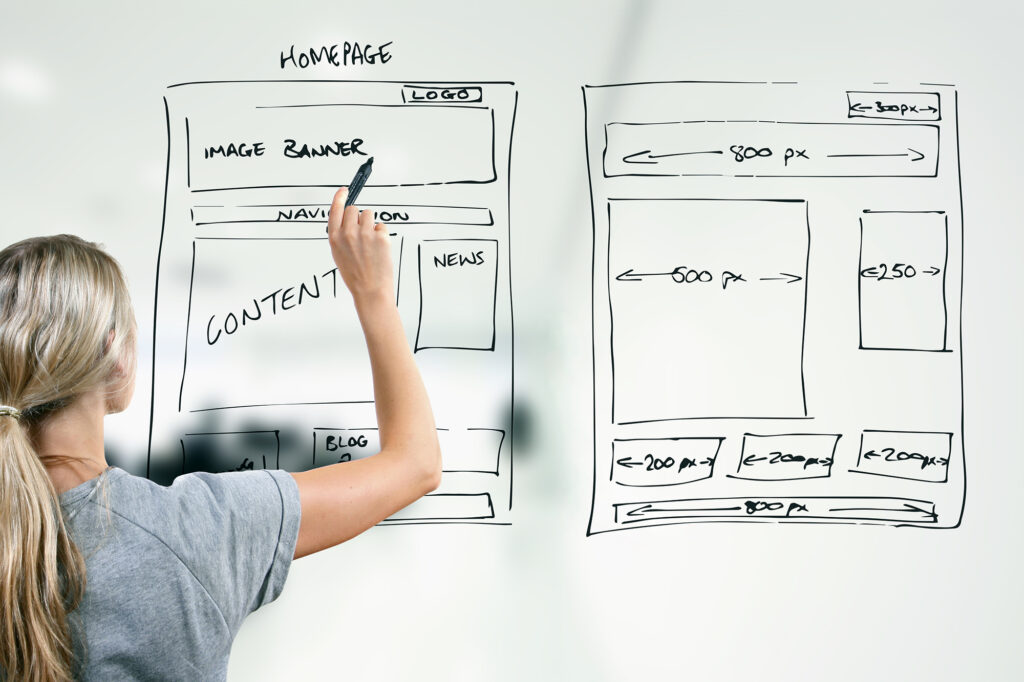
In the digital age, where information is at our fingertips, educational institutions must adapt to the ever-evolving landscape of online presence. Whether you’re a university, an online course provider, or a tutoring service, your website is the digital front door to your educational offerings. In this blog post, we’ll explore seven key elements of education web design that can significantly influence conversions, helping you attract and retain students effectively. 1. Clear Navigation Navigation is the backbone of any website, and in education web design, it’s crucial to provide a clear and intuitive navigation structure. Prospective students should easily find the information they’re looking for, whether it’s about programs, admissions, faculty, or campus life. Use dropdown menus, breadcrumb trails, and search functionality to enhance navigation efficiency. 2. Compelling Visuals Humans are visual creatures, and compelling visuals can significantly enhance user engagement. Use high-quality images and videos to showcase your campus, classrooms, and students in action. Infographics and charts can help simplify complex information, such as program structures or academic statistics. Ensure that your visuals reflect the diversity and inclusivity of your educational community. 3. Responsive Design With the increasing use of mobile devices, responsive design is no longer optional—it’s a necessity. Your website must adapt seamlessly to various screen sizes and devices, providing an optimal viewing experience for users on smartphones, tablets, and desktops alike. A mobile-friendly website improves user satisfaction and positively impacts your search engine rankings. 4. Persuasive Copywriting Compelling copywriting is essential for conveying your institution’s unique value proposition and persuading visitors to take action. Craft persuasive headlines, concise yet informative descriptions, and compelling calls-to-action (CTAs) that encourage users to explore further or submit an application. Use language that resonates with your target audience and addresses their specific needs and aspirations. 5. Social Proof Testimonials, reviews, and success stories from current students, alumni, and faculty can build trust and credibility with prospective students. Incorporate social proof strategically throughout your website, showcasing real-life experiences and achievements. Additionally, display accreditation badges, rankings, and affiliations further to validate the quality and reputation of your institution. 6. User-Friendly Forms Whether it’s a contact form, an application form, or a registration form, make sure it’s user-friendly and easy to complete. Minimize the number of required fields and provide clear instructions to streamline the process. Consider implementing auto-fill features, progress indicators, and error messages to enhance your forms’ usability and reduce user friction. 7. Accessibility Accessibility should be a top priority in education web design, ensuring that your website is usable by individuals of all abilities. Follow web accessibility guidelines such as WCAG (Web Content Accessibility Guidelines) to make your content perceivable, operable, and understandable for everyone. Provide alternative text for images, video captions, and keyboard navigation options to accommodate users with disabilities. In conclusion, effective education web design goes beyond aesthetics—it’s about creating an engaging and accessible online experience that drives conversions and fosters meaningful connections with your audience. By incorporating these seven elements into your website strategy, you can optimize the user experience and attract more students to your educational institution. Remember, your website is a powerful tool for showcasing your institution’s mission, values, and offerings to the world. Invest in thoughtful design and functionality to leave a lasting impression on visitors and inspire them to join your learning community.
Utilizing Mood Boards: Unveiling Your Target Audience and Enhancing Website Aesthetics with Secondary Palettes

In the digital realm, where first impressions are pivotal, a website’s visual appeal is paramount in captivating and retaining visitors. Understanding the audience’s preferences, emotions, and visual inclinations is the cornerstone of creating an engaging online experience. One powerful tool that aids in this endeavor is the mood board—a dynamic collage of visuals, colors, textures, and typography that encapsulates the essence and vibe of a brand or project. Unveiling the Target Audience Deciphering Preferences Mood boards serve as a gateway to uncovering your potential audience’s aesthetic preferences and emotional resonance. By curating a collection of images, colors, and design elements that resonate with the brand’s vision, it becomes easier to decipher the visual language that speaks directly to your target demographic. Gathering Inspiration Start by gathering a diverse range of images, from photography and illustrations to typography samples, that encapsulate the ethos of your brand. This assortment helps distill the essence of what appeals most to your intended audience. Defining Personas Assemble mood boards that represent various personas within your target audience. Whether it’s the minimalist aficionado, the bold and adventurous, or the serene, each persona can be visually characterized through distinct mood boards. Leveraging Secondary Palettes for Web Aesthetics Exploring Color Psychology Colors evoke emotions and perceptions. Secondary palettes derived from mood boards can be instrumental in conveying the right emotions and enhancing user experience. Delve deeper into color psychology to comprehend how different hues influence mood and behavior. Establishing Harmony and Contrast Secondary palettes assist in establishing harmony and contrast within website designs. While primary colors embody the brand identity, secondary palettes facilitate creating complementary shades for backgrounds, buttons, and text that ensure readability and visual appeal. Enhancing User Engagement A thoughtfully crafted secondary palette derived from mood boards improves user engagement. It guides users’ focus, emphasizes crucial elements, and fosters a seamless and enjoyable browsing experience. Implementing Mood Board Insights in Web Design Iterative Design Process Integrate the insights gleaned from mood boards into the iterative design process. Experiment with various color combinations, textures, and visual elements to create a cohesive and captivating website layout. Feedback and Refinement Seek feedback from potential users or focus groups to validate design choices influenced by mood board findings. This iterative approach ensures that the website resonates harmoniously with the intended audience. In conclusion, mood boards serve as invaluable assets in unraveling the visual preferences of your target audience. In contrast, secondary palettes derived from these mood boards contribute significantly to web design aesthetics. By leveraging these tools, web designers can craft visually compelling and user-centric websites that resonate deeply with their intended audience, fostering a lasting and meaningful connection.
Parker Web’s Magic Touch: Transforming Your Website in Just 15 Minutes
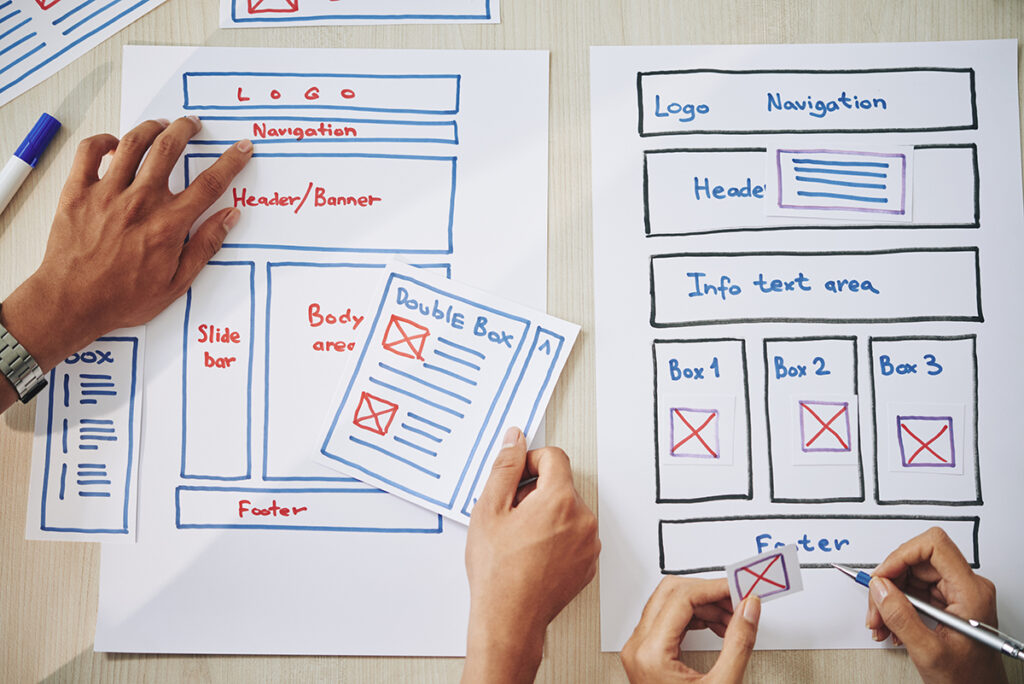
Time is precious, especially in the digital realm. As the digital world accelerates, small business owners are often left feeling that website enhancements need endless hours and extensive budgets. However, with Parker Web, that’s not the case. Here’s what our expert team can achieve for your business website with a 15-minute commitment. 1. Swift Content Revitalization What is your latest achievement, product launch, or company update? Let us craft a concise and engaging post or news update for your website, making it timely and relevant. 2. Instant Image Refresh Our design team, equipped with an extensive library of high-quality images and an eye for aesthetics, can promptly replace outdated graphics. Give your website that modern look in a quarter of an hour. 3. Inserting Credibility Boosters Hand us your recent customer praises, and watch as we elegantly weave them into your site. We’ll position these testimonials where they can have maximum impact, showcasing the trustworthiness of your business. 4. Mobile Responsiveness Check In a quick 15-minute scan, we can assess the mobile responsiveness of your site, ensuring it’s up to the mark. We’ll provide immediate recommendations for any potential areas of enhancement. 5. Quick Analytics Insight Our expertise in platforms like Google Analytics allows us to extract valuable insights about your site’s performance in no time. Understanding visitor behavior becomes simple with Parker Web. 6. A Sprinkle of SEO Magic Our SEO wizards will optimize a page or article on your site, incorporating vital keywords, enhancing meta descriptions, or adding image alt texts. All aimed to increase your visibility on search engines. 7. Social Media Integration We’ll ensure your website boasts the latest social links and active feeds. Should you branch out to a new social platform, trust that we can seamlessly integrate it into your digital space. Conclusion Website transformation doesn’t always require hours or days. With Parker Web, even a 15-minute engagement can bring noticeable, value-driven changes to your online presence. So when you think of time, remember it’s not just the duration but the expertise that counts. Let’s make every minute impactful with Parker Web.
The Power of Building A Strong Brand
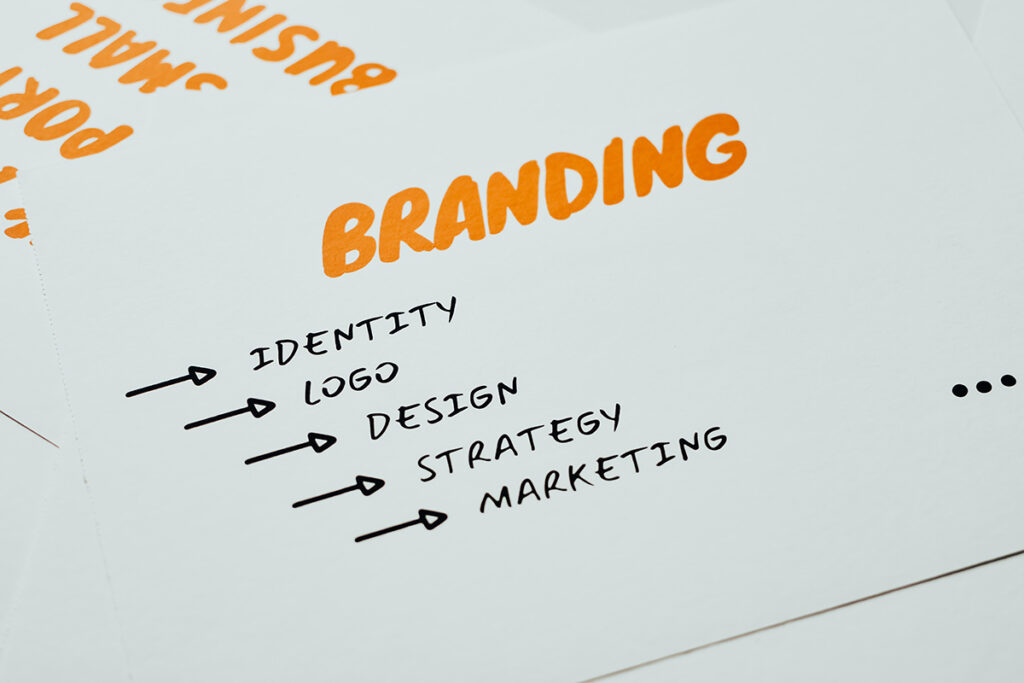
In today’s competitive business landscape, creating a strong brand is essential for long-term success. Your brand is not just a logo or a catchy tagline; it’s the essence of your business, the perception that customers have, and the promise you deliver. Here are some key benefits of investing in and nurturing a strong brand: 1. Recognition and Recall A strong brand is easily recognizable and memorable. Think about iconic logos like Apple’s apple or Nike’s swoosh. These symbols instantly connect with their respective brands, making them stand out in a crowded marketplace. When customers can easily recognize and recall your brand, it increases the likelihood of them choosing your products or services. 2. Trust and Credibility Trust is the foundation of any successful business relationship. A strong brand builds trust with its audience by consistently delivering on its promises. When customers know what to expect from your brand and have positive experiences, they are more likely to trust your business. Trust, in turn, leads to customer loyalty and repeat business. 3. Competitive Advantage In a competitive market, a strong brand sets you apart from your competitors. It gives you a unique identity and positioning that makes it difficult for others to replicate. Customers often choose brands they trust and identify with, even if there are similar alternatives available. This competitive advantage can translate into increased market share and higher profits. 4. Customer Loyalty A strong brand cultivates customer loyalty. When customers have a positive emotional connection with your brand, they are more likely to become repeat buyers and brand advocates. Loyalty programs, personalized experiences, and excellent customer service can all strengthen this bond and keep customers coming back. 5. Premium Pricing A well-established and trusted brand can command premium pricing for its products or services. Customers are often willing to pay more for a brand they know and trust because they perceive it as offering higher quality and reliability. This can lead to increased profitability and a healthier bottom line. 6. Flexibility and Expansion A strong brand can expand into new markets and product categories more easily. Customers who trust your brand in one area are more likely to try your offerings in others. For example, if you’ve built a strong brand in athletic shoes, branching out into sportswear or accessories becomes a natural progression. 7. Employee Pride and Engagement Your brand isn’t just for customers; it also impacts your employees. A strong brand can instill a sense of pride and purpose among your workforce. When employees believe in the brand and its values, they are more engaged and motivated, leading to better productivity and a positive workplace culture. Conclusion Building a strong brand is a long-term investment that pays off in many ways. It’s not just about aesthetics; it’s about creating a lasting impression, fostering trust, and standing out in a competitive market. Whether you’re a small startup or an established corporation, the benefits of a strong brand are undeniable and can propel your business to new heights. So, invest the time and resources needed to build and nurture your brand—it’s a strategy that will pay dividends for years to come.
Designing Your “About Us” Page for Establishing Trust and Credibility

Building trust and credibility with your online audience is crucial in the digital world’s vast landscape, where face-to-face interactions are limited. One of the most effective ways to achieve this is by crafting a compelling “About Us” page on your website. This seemingly simple page can be a powerful tool to showcase your brand’s identity, values, and expertise, ultimately building a solid foundation of trust with your visitors. In this blog post, we’ll explore key strategies for designing an “About Us” page that establishes trust and credibility. 1. Authentic Storytelling: Start with a human touch. People connect with stories, so use your “About Us” page to share the journey that led to your brand’s creation. Talk about the challenges you’ve overcome, the motivations that drive you, and the milestones you’ve achieved. Highlight personal anecdotes that resonate with your audience and showcase the real people behind your brand. This authenticity helps visitors relate to your journey and fosters a sense of connection. 2. Clear Mission and Values: Clearly state your brand’s mission and values. What do you stand for? What principles guide your decisions? When visitors understand your brand’s beliefs, they can determine whether your values align with theirs. This transparency is a cornerstone of trust-building. 3. Showcase Your Team: Introduce the key members of your team. Include their photos, job roles, and a brief expertise description. This demonstrates that your brand comprises skilled professionals passionate about what they do. Including team members’ social media profiles or professional achievements adds more credibility. 4. Visual Elements: Design your “About Us” page with visual elements that reflect your brand’s personality. High-quality photos, videos, and graphics can convey much about your company’s culture and working environment. Additionally, visual content helps break up large chunks of text and makes your page more engaging. 5. Testimonials and Awards: Showcase customer testimonials and any industry awards or recognitions you’ve received. Social proof is a powerful tool for building credibility. When potential customers see that others have had positive experiences with your brand, they’re more likely to trust you. 6. Milestones and Achievements: Highlight significant milestones and achievements your brand has reached. This could include important partnerships, product launches, or community initiatives. Milestones demonstrate your brand’s growth and commitment to excellence. 7. Transparency: Be transparent about your business operations, such as sourcing, manufacturing, or customer service processes. When you’re open about how you operate, customers feel more confident about engaging with your brand. 8. Contact Information: Ensure your contact information is easily accessible. This includes a generic email address, links to your social media profiles, and perhaps even a direct contact for media inquiries or collaborations. Easy access to contact information enhances your brand’s credibility. 9. Interactive Elements: Incorporate interactive elements like quizzes, surveys, or interactive timelines. These engage visitors and encourage them to spend more time on your page, absorbing your brand’s story and information. 10. Responsive Design: Optimize your “About Us” page for mobile devices. A significant portion of website traffic comes from mobile users. A seamless mobile experience enhances user engagement and reflects positively on your brand. In conclusion, your “About Us” page isn’t just a bland brand summary; it’s an opportunity to connect with your audience. By incorporating authentic storytelling, emphasizing your mission and values, showcasing your team’s expertise, and using visual elements effectively, you can design an “About Us” page that informs and establishes trust and credibility. Remember, the goal is to make visitors feel like they’re getting to know the people and principles that power your brand.
A Guide to Designing Accessible Websites for the Visually Impaired

In today’s digital age, it is essential to ensure that websites are accessible to all users, including those with visual impairments. By creating websites that are inclusive and cater to the needs of the visually impaired, we can provide equal opportunities for everyone to access and engage with online content. In this blog post, we will explore the key principles and practical tips outlined in HubSpot’s article on website accessibility for the blind. Understanding the Importance of Website Accessibility: The article from HubSpot begins by shedding light on the significant number of individuals affected by visual disabilities and the challenges they encounter when accessing websites. By making websites accessible, we not only empower visually impaired individuals but also enhance the user experience for all visitors. Key Guidelines for Website Accessibility: Proper HTML Structure: Creating a well-structured HTML document is fundamental for accessibility. By using semantic markup, screen readers can accurately interpret and convey the content to visually impaired users. Optimizing Images with Alt Text: Including descriptive alternative text (alt text) for images enables individuals using screen readers to understand the visual elements on a webpage. This practice ensures that important information is not missed. Descriptive Link Text: Instead of using generic terms like “click here” or “read more,” it is crucial to use descriptive link text that provides context. This helps visually impaired users navigate the website more efficiently. Color Contrast: Consider individuals with low vision by optimizing color contrast. Using tools to check and adjust color contrast ratios ensures that text and images are legible for all users. Resizable Text Options: Provide users with the ability to resize text to suit their preferences. This feature is particularly beneficial for individuals with visual impairments who rely on larger text sizes for improved readability. Avoid Solely Color-Coded Instructions: It is important to avoid using color as the sole means of conveying information. Incorporate additional visual cues or text instructions to ensure all users can understand the content. Keyboard Accessibility: Some visually impaired users rely on keyboard navigation. Therefore, it is vital to ensure that all website elements, such as menus and forms, can be accessed and operated using keyboard commands. The Role of User Testing and Continuous Improvement: To ensure the effectiveness of website accessibility efforts, the article emphasizes the importance of user testing. By involving individuals with visual impairments in the testing process, valuable insights can be gained to address any accessibility issues and make necessary improvements. Inclusivity should be a priority when designing websites, and catering to the needs of the visually impaired is an essential aspect of achieving accessibility. By following the guidelines outlined in HubSpot’s article, we can create welcoming and usable websites for all users. Let’s embrace the power of accessibility and contribute to a more inclusive online world.