
What is a Webkeeper?

You build websites. That’s what you tell people at parties, and it’s true. But it’s not the whole picture. Because after the launch — after the confetti and the “it looks amazing” emails — your phone keeps ringing. And it’s not about the next build. It’s about the last one. “The form stopped working.” “Can you change the hours on the homepage?” “Our payment processor sent us an email and we don’t know what it means.” “There’s an update and now everything looks different.” “We just need someone to handle this.” So you handle it. You fix the form. You update the hours. You call the payment processor and figure out what changed. You run the update and test everything afterward. You do it because the client trusts you, and because nobody else is going to. Related article: What are Webkeeping Services? You may not have a word for this work. But there is one. You’re a webkeeper. The Work That Doesn’t Have a Name Every web professional knows there are two kinds of work. There’s the project — the big build, the redesign, the new site. And then there’s everything after. The “after” work is where most of the trust gets built. It’s the ongoing relationship. The retainer. The monthly check-in. The “hey, can you take a look at this?” calls. It’s not glamorous. Nobody gives conference talks about updating a dentist’s holiday hours or reconnecting a church’ event registration form. But it’s steady, it’s needed, and for a lot of small web shops, it’s what keeps the lights on. The problem is, this work has never had a professional identity. “Website maintenance” undersells it. “Managed services” sounds like enterprise IT. “Support” sounds like a help desk. None of those words capture what it actually means to be the person a small business calls when anything on their web isn’t working. Webkeeping is that word. And a webkeeper is the person who does it. What a Webkeeper Actually Does Think of it like bookkeeping. A bookkeeper doesn’t just balance one account — they manage all of your books, ongoing, so you don’t have to think about it. A webkeeper does the same thing for everything a business does on the web. That includes the obvious stuff: website updates, content changes, design tweaks. But it also includes the operational layer that most businesses now depend on — payment portals, scheduling systems, online forms, member directories, event registration, document repositories. The tools that customers, patients, members, and constituents actually use to interact with an organization. A webkeeper manages all of it. Not just the website. Everything web-based that the business needs to keep running. And when things change — when a vendor gets acquired, when a platform sunsets a feature, when an integration breaks after an update nobody asked for — a webkeeper is the one who picks up the phone, says yes, and figures it out. You Might Already Be One If you’re reading this, there’s a decent chance you already do this work. You just call it something else. Maybe you call it “maintenance clients.” Maybe you call it “ongoing support.” Maybe you don’t call it anything — it’s just the part of your business that happens between the projects. Here’s the question worth asking: is that the work you want to be doing? Some web professionals love the build and tolerate the maintenance. The ongoing support is a revenue stream, but it’s not the thing that gets them out of bed. If that’s you, there’s no shame in it. But those clients still need someone. And handing them off to a dedicated webkeeper means they’re taken care of — and you get to focus on what you actually want to do. Other web professionals discover that the ongoing work is actually what they’re best at. The relationships. The trust. The satisfaction of being the person someone calls when they need help. If that’s you, then congratulations — you’re a webkeeper, and there’s a growing community of people who do exactly what you do. Either way, the word exists now. And it changes how you think about the work. Why This Matters Right Now The web is getting more complicated. Every tool a business uses is adding AI features, changing its pricing, updating its interface. New platforms launch every week. And the people who set up these systems for small businesses — the freelancers, the small agencies, the solo operators — a lot of them are stepping back. The industry is shifting, and some shops are closing. But the dentist’s scheduling system still needs to work. The town’s water bill portal still needs to accept payments. The church’s event registration still needs to function for the fall retreat. Those organizations don’t stop needing help just because the person who built their site moved on. That’s why webkeeping matters. Not as a buzzword, but as a professional category. The work is real. The need is growing. And the people who do it well deserve a name for what they do. Parker Web Has Been Webkeeping Since 1999 We didn’t coin the term to sell a product. We coined it because after years of doing this work, we realized there wasn’t a word for it — and there needed to be. Parker Web handles about 5,000 support requests a year for small businesses and community organizations in 31 states. We’ve maintained a 99% client satisfaction rating. We work in WordPress, Joomla, Shopify, HubSpot, Squarespace, and most other platforms. If it’s on the web and a business depends on it, we handle it. We’re not the only webkeepers out there. But we might be the first ones to say it out loud. Let’s Talk Whether you’re a webkeeper yourself and want to connect with others doing this work, or you’re a web professional looking to hand off maintenance clients to someone who’ll treat them right — we’d like to hear from you. Call us at 877-321-2251 or visit parkerweb.com/partners. Related: See
What are Webkeeping services?
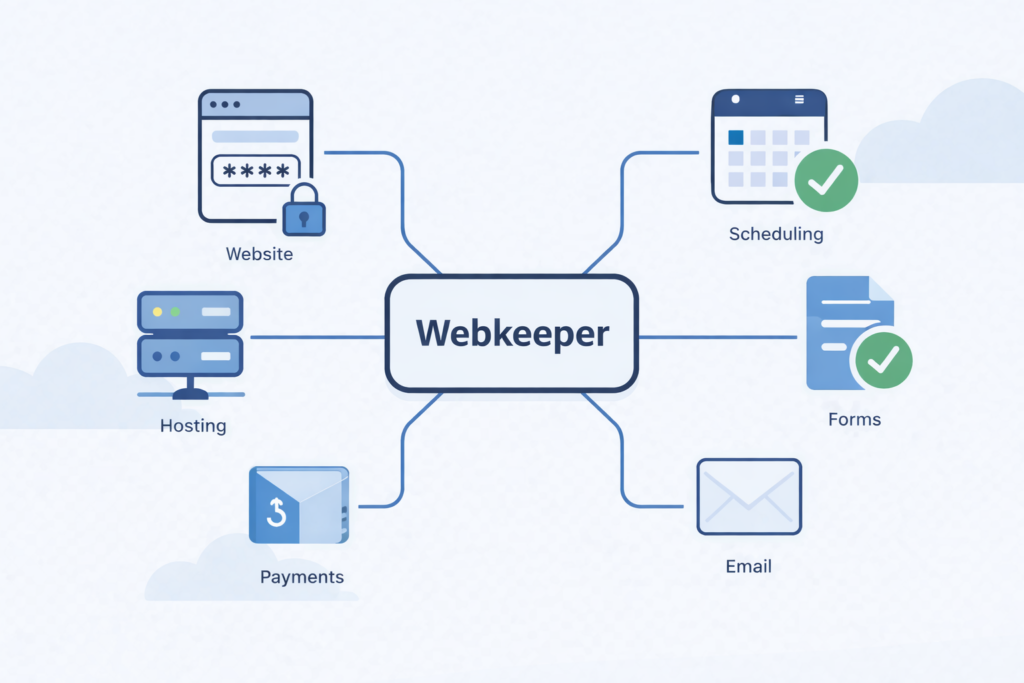
If you run a small business, a church, a municipality, or a community organization, you depend on things that live on the web. Your website is one of them. But it’s probably not the only one. There’s also the payment portal where your customers pay their bills. The scheduling system where your patients book appointments. The forms your constituents fill out for permits or registrations. The grade portal parents check every week. The public agendas your board posts before every meeting. The event registration your members use to sign up for the mission trip. All of that is web-based. All of it needs to keep working. And most of it was set up by someone, at some point, and nobody inside your organization fully understands how it all connects anymore. Related article: What is a webkeeper? That’s what webkeeping is. It’s the ongoing management, maintenance, and care of everything your organization does on the web. It’s Bigger Than Your Website We’ve been providing website maintenance services since 1999. For a long time, that described the work pretty well. A client would call and say “can you change the phone number on the contact page” or “we need to add the new holiday hours,” and we’d handle it. Usually within a few hours. We still do that, every day. But over the years, the work grew. Clients started asking us to set up their payment portals. Connect their scheduling tools. Build their online forms. Manage integrations between systems that were never designed to talk to each other. And when any of it broke — when the scheduling vendor pushed an update that changed everything, when the payment processor changed its requirements, when a form stopped working after a plugin update — they called us. They didn’t call because they wanted to learn how to fix it themselves. They called because they had patients to see, meetings to run, customers to serve. They needed someone to just handle it. “Website maintenance” doesn’t really cover that anymore. Webkeeping does. What Does a Webkeeper Actually Do? Think of it like a bookkeeper. A bookkeeper doesn’t just balance one account. They manage your books — all of them, ongoing, so you don’t have to think about it. A webkeeper does the same thing for everything your business does on the web. Here’s what that looks like in practice: Website updates and changes. Text, images, pages, new content, design tweaks. The core of what we’ve always done, and what we’ll keep doing. Operational systems. Payment portals, scheduling tools, online forms, document repositories, event registration, member directories. The stuff your customers, patients, constituents, and members actually use to interact with your organization. Third-party tool management. Your web presence probably relies on a half-dozen tools from different vendors — your hosting, your CMS, your email platform, your form builder, your payment processor, your scheduling widget. Each one has its own updates, its own pricing changes, its own occasional breakdowns. A webkeeper keeps track of all of it so you don’t have to. Triage when things change. And things are changing faster than ever. Your scheduling vendor gets acquired and announces a new interface. Your form builder sunsets the version you’ve been using. Your CMS pushes an update that breaks an integration you didn’t even know existed. A webkeeper gets the call, says yes, and figures it out. Why Now? The honest answer: the web is getting more complicated, not less.Every tool your business uses is adding AI features, changing its interface, adjusting its pricing. New tools are launching every week that claim to solve problems you’re not sure you have. Your inbox has pitches from vendors you’ve never heard of. And your web person — the freelancer who set up your site five years ago — may not be around much longer. A lot of small web shops and independent operators are closing as the industry shifts. When that happens, their clients don’t stop needing help. The dentist’s scheduling system still needs to work. The town’s payment portal still needs to accept water bill payments. The church’s event registration still needs to function for the fall retreat. Those clients need a webkeeper. Someone who picks up the phone, says yes, and handles it — the way it’s always been done around here. How Is Webkeeping Different From Website Maintenance? It’s not different. It’s bigger. Website maintenance is part of webkeeping — the part focused specifically on your website. Webkeeping covers the website plus everything else web-based that your organization depends on. If it runs in a browser and your business needs it to work, it falls under webkeeping. Think of it this way: a plumber doesn’t just fix toilets. A plumber handles everything connected to your water systems — sinks, water heaters, pipes, drains, supply lines. You call a plumber and whatever the water problem is, they handle it. A webkeeper is the same idea for everything your business does on the web. Whatever the web problem is, we handle it. Parker Web Has Been Doing This Since 1999 We just didn’t have the word for it until now. For 27 years, we’ve been the people small businesses and community organizations call when something on their web isn’t working, or when they need something changed, or when a vendor makes their life complicated. We answer the phone. We say yes. We fix it. We resolve about 5,000 support requests a year, and in 2023, our clients gave us a 99% “very satisfied” rating. We’re a U.S. company with U.S.-based employees, serving clients in 31 states. We work in WordPress, Joomla, Shopify, HubSpot, Squarespace, and most other web platforms. If it’s on the web and your business depends on it, we can help. That’s webkeeping. And we’d love to be your webkeeper. Have questions about webkeeping services or want to find out if Parker Web is a good fit for your organization? Give us a call at 877-321-2251 or get started here. It doesn’t cost anything for an
Strengthen Your Security: Use a Password Manager & Try Passkeys
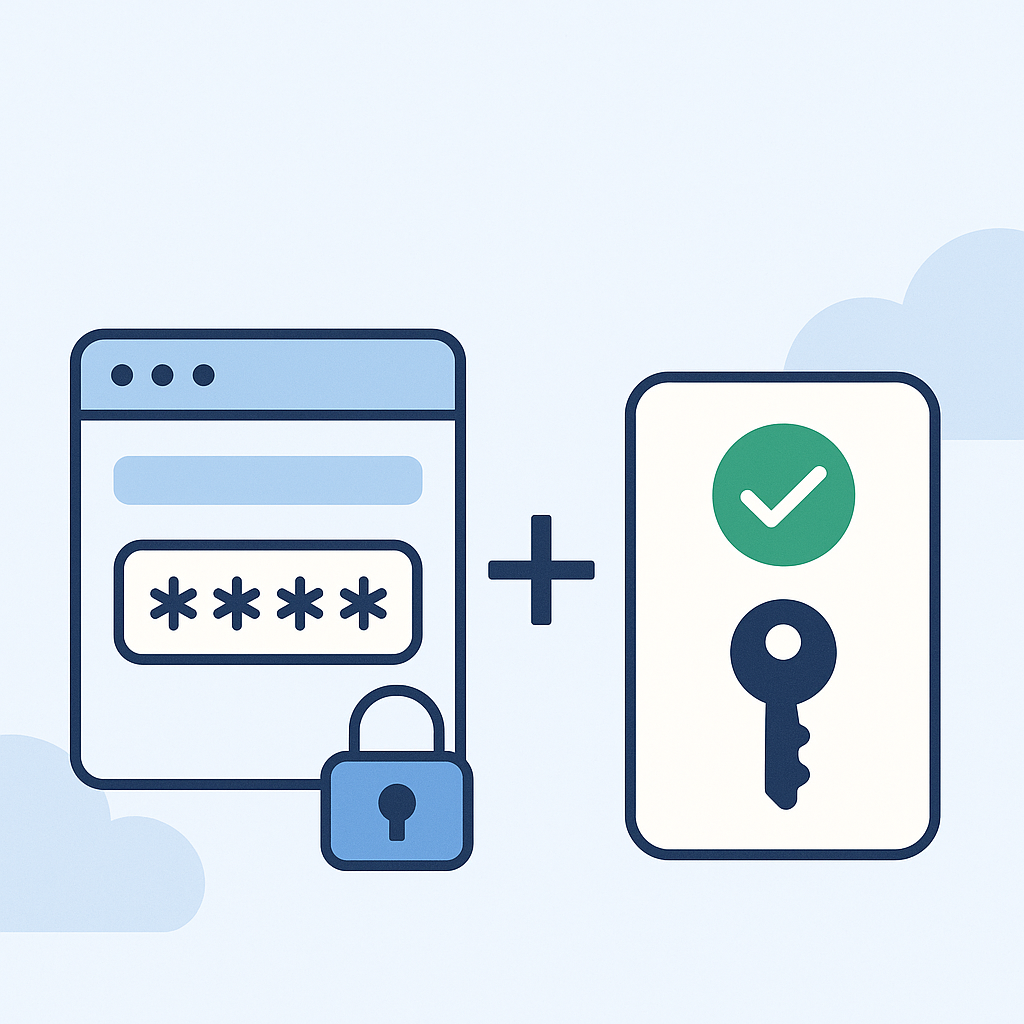
This is a follow up to our alert about the recent global password hack. Two security-strengthening tools that can make your digital life safer and a whole lot easier are Password Managers and Passkeys. Password Managers A password manager is basically a secure vault for all your logins. A password manager can create strong, unique passwords for each account, save and autofill your credentials across websites and apps, and keep everything synced across your devices. Trusted Password Management Tools- We recommend the following secure password managers: 1Password – https://1password.com Bitwarden – https://bitwarden.com Dashlane – https://www.dashlane.com LastPass – https://www.lastpass.com What’s a Passkey? Passkeys are a newer way to log in—no password required! They use your device’s built-in security (like Face ID, fingerprint, or a PIN) to log in securely and quickly. Benefits of passkeys: More secure than passwords Super simple to use (especially on phones) No more typing or remembering passwords Passkeys are supported by major platforms like Google, Apple, and Microsoft, as well as other services like PayPal, Shopify, DocuSign, and Adobe. Most platforms will let you set up a passkey in your account security settings. If you need help setting up a password manager or trying out passkeys, feel free to reach out—we’re happy to walk you through it. You can reach out to us by emailing support@parkerweb.com or submitting a ticket below. We’re here to help you stay safe and secure! Submit a Ticket
Navigating the Cybersecurity Storm: Understanding Data Breaches, Ransomware, and the Imperative of Disaster Recovery Plans

In digital landscapes, the specter of cyber threats looms large, casting a shadow over businesses of all sizes. The past few years have witnessed an unprecedented surge in data breaches, ransomware attacks, and evolving cybersecurity trends, creating a volatile environment where the security of sensitive information hangs in the balance. It’s essential to reflect on the pressing need for a robust disaster recovery plan in the face of these ever-evolving threats. Rise of Data Breaches and Ransomware Attacks Data breaches have become distressingly commonplace, infiltrating the fortresses of corporations, government entities, and even small businesses. The high-profile breaches of large corporations, including Equifax, Marriott, and Capital One, have demonstrated the staggering repercussions of compromised data, affecting millions and incurring colossal financial losses. Concurrently, ransomware attacks have emerged as a menacing force, holding organizations hostage by encrypting critical data and demanding exorbitant ransoms for release. The notorious attacks on Colonial Pipeline, JBS Foods, and the healthcare sector during the global pandemic spotlight the crippling impact of ransomware, disrupting operations and inflicting substantial economic damage. Evolution of Cybersecurity Trends Cyber threats evolve alarmingly, adapting to circumvent conventional security measures. Advanced Persistent Threats (APTs), where attackers stealthily infiltrate networks for extended periods, exploit vulnerabilities and execute sophisticated attacks, pose a severe challenge to traditional defense mechanisms. Moreover, the proliferation of Internet of Things (IoT) devices has expanded the attack surface, creating additional entry points for cybercriminals. As businesses embrace interconnected technologies, securing these devices becomes increasingly crucial to prevent exploitation. The Crucial Role of Disaster Recovery Plans In the face of these relentless cyber onslaughts, a comprehensive disaster recovery plan protects against potential devastation. A robust plan encompasses strategies and procedures to mitigate the impact of breaches or cyber attacks, ensuring business continuity and swift recovery. Why Your Business Needs a Disaster Recovery Plan Regardless of size or industry, every business is susceptible to cyber threats. A proactive disaster recovery plan is no longer an option but a necessity. The ramifications of a data breach or ransomware attack extend far beyond financial losses; they erode trust, tarnish reputation, and can potentially lead to legal repercussions. A comprehensive disaster recovery plan serves as a lifeline, ensuring swift recovery, minimizing downtime, and safeguarding the integrity of sensitive data. Investing in cybersecurity measures and disaster recovery plans fortifies resilience and demonstrates a commitment to protecting stakeholders’ interests. Conclusion As we navigate the turbulent seas of cybersecurity, the need for businesses to fortify their defenses and establish robust disaster recovery plans has never been more critical. Staying vigilant, adapting to evolving threats, and proactively investing in cybersecurity measures are imperative to weather the storm of cyber attacks and safeguard the future of businesses in this digital age.
Fortifying Your Online Fortress: The Essentials of Password Security
In today’s digitally connected world, where our lives revolve around online platforms and accounts, the strength of our passwords determines the security of our personal information. Whether it’s your email, social media, banking, or other online accounts, having a strong password is crucial in protecting your data from cyber threats. Here are essential tips on password security and how to fortify your online fortress: 1. Create Complex Passwords: 2. Unique Passwords for Each Account: 3. Regular Password Updates: 4. Enable Two-Factor Authentication (2FA): 5. Beware of Phishing Attempts: 6. Secure Your Devices: 7. Educate Yourself and Others: Conclusion: By implementing these practices, you can significantly enhance the security of your online accounts and protect your sensitive information from falling into the wrong hands. Remember, a strong password is your primary defense against cyber threats. Take the time to fortify your online presence and stay proactive in keeping your passwords protected. Remember, the responsibility of securing your online presence starts with you. Implementing these tips can significantly reduce the risk of your accounts being compromised. Stay safe, stay secure!
Protecting Your Digital Fortress: A Comprehensive Guide to Guarding Against Online Fraud

Introduction In today’s digital age, online fraud has become a widespread and sophisticated threat that can target anyone, from individuals to businesses. As more personal and financial information moves online, we must proactively protect ourselves from cybercriminals. This blog post aims to provide a comprehensive guide on preparing and protecting yourself from online fraud. Educating yourself is the first and most crucial step in defending against online fraud. Be aware of the various types of online fraud, such as phishing, identity theft, ransomware attacks, and more. Stay updated on the latest scam tactics and security threats to recognize them when they come your way. One of the simplest yet most effective ways to protect yourself online is by using strong and unique passwords for your accounts. Avoid using easily guessable information like birthdates or “password123.” Instead, create complex passwords with upper- and lower-case letters, numbers, and special characters. Consider using a reputable password manager to store and manage your passwords securely. Two-factor authentication adds an extra layer of security by requiring you to provide a secondary verification method, such as a code sent to your smartphone and your password. Enable 2FA wherever possible, as it significantly reduces the risk of unauthorized access to your accounts. Phishing emails are a common tactic used by cybercriminals to trick individuals into revealing personal information. Be cautious when receiving unsolicited emails or clicking on links. Check the sender’s email address for authenticity, and never provide sensitive information through email. Instead, verify the source by contacting the organization directly. Cybercriminals often target vulnerabilities in outdated software to gain access to your system. Ensure your operating system, antivirus software, and all applications are regularly updated to patch security holes. Be cautious about sharing personal information on social media and other websites. Be mindful of what you post, as fraudsters can use this information to steal your identity or execute social engineering attacks. When shopping online, only use well-known and trusted websites. Check for secure payment options and confirm the website’s legitimacy by reading reviews and verifying their contact information. Regularly review your bank and credit card statements for any unauthorized transactions. If you notice any suspicious activity, report it immediately to your financial institution. Avoid using public Wi-Fi for sensitive activities, like online banking or shopping. Public Wi-Fi networks are often less secure and can make it easier for hackers to intercept your data. Install reputable antivirus and antimalware software to protect your devices from viruses and malware. Regularly run scans to detect and remove any potential threats. Conclusion Online fraud is a constant threat, but with the right precautions and vigilance, you can significantly reduce your risk. By educating yourself, using strong passwords, enabling 2FA, and staying cautious when handling emails and personal information, you can build a strong defense against cybercriminals. Remember that your online security is an ongoing commitment, and staying informed about emerging threats is essential in this ever-changing digital landscape. Protect yourself and enjoy a safer and more secure online experience.
Unlocking Security: The Power of Password Managers

In the digital age, where nearly every aspect of our lives is interconnected through the web, the importance of online security cannot be overstated. Cyber threats are rampant, and the weakest link in the chain is often a simple, easily guessable password. In this era, the power of password managers shines brightly as a beacon of digital security, making our online lives safer and more convenient. The Password Conundrum The average person has countless online accounts, each requiring a unique and robust password. Remembering all these passwords is an impossible task for the human brain. Consequently, many people resort to using simple passwords, reusing them across multiple sites, or even writing them down, which compromises security. This is where password managers come into play. What Is a Password Manager? A password manager is a specialized software or service designed to securely store, generate, and autofill passwords for various websites and applications. Using a master password, the user can access a secure vault containing all their login credentials. Here’s why password managers are powerful: 1. Enhanced Security Password managers can generate complex, unique passwords for each of your accounts. These passwords are typically long and include letters, numbers, and symbols. With no need to remember them, there’s no temptation to choose easily guessable passwords or reuse them across different platforms. 2. Single Sign-On A master password is the only password you need to remember. Once you’ve unlocked your password manager, it automatically fills in your login information, streamlining the login process. This eliminates the hassle of typing in complex passwords manually, reducing the likelihood of mistakes and increasing overall security. 3. Encrypted Storage Password managers store your login credentials in encrypted form. Even if someone were to gain access to your vault, they would need your master password to decrypt and use the information. This multi-layered security makes it exceedingly difficult for hackers to compromise your accounts. 4. Cross-Device Accessibility Most password managers offer browser extensions and mobile apps, ensuring your passwords are accessible on all your devices. This convenience allows for seamless and secure access to your accounts, whether you’re at your computer or on your smartphone. 5. Password Health and Alerts Password managers often include features that assess the security of your passwords. They can identify weak or compromised credentials and provide alerts for breaches on websites where you have accounts. This proactive approach enables users to strengthen their online security continuously. 6. Time-Saving and Convenience One of the most significant advantages of password managers is the time and effort they save. Users no longer need to go through the tiresome process of creating, remembering, or recovering passwords. This extra convenience improves the overall online experience. Conclusion In the age of frequent data breaches and cyberattacks, password managers are a necessary tool to bolster your online security. Their power lies in their ability to simplify and enhance the way we manage our digital identities. With password managers, you can enjoy the convenience of easy logins without compromising on security. So, take the first step towards securing your digital life and unlock the full potential of password managers today. Your online accounts will thank you.
It’s Time We Fix the Unethical Design of Cookie Consent Windows

Introduction In today’s digital age, the internet is an integral part of our daily lives. Whether shopping, reading the news, or simply browsing for information, websites collect data about our online behavior. Websites often present us with cookie consent windows to comply with privacy regulations. However, the design and implementation of these consent prompts have raised concerns about ethics and user consent. This blog post will delve into the issues surrounding cookie consent windows and why addressing these concerns is high time. The Cookie Conundrum Cookies, small pieces of data stored on our devices, serve various purposes on websites, from enhancing user experience to tracking user behavior for marketing and analytics. As a result, websites must obtain user consent before deploying these cookies, a requirement enforced by regulations like the General Data Protection Regulation (GDPR) and the California Consumer Privacy Act (CCPA). While the intentions behind these regulations are noble, the way many websites implement cookie consent leaves much to be desired. Here are some common issues: The Ethical Imperative The ethical issues surrounding cookie consent windows are apparent. Designing these prompts to trick or manipulate users into sharing their data violates their privacy and erodes trust in websites and online services. Ethical design should prioritize user understanding and choice. It’s essential to consider the following principles when designing cookie consent prompts: A Way Forward So, how can we address these ethical concerns surrounding cookie consent windows? Conclusion Cookie consent windows are a critical component of online privacy, and fixing their unethical design is crucial. The internet should be a space where users can make informed decisions about their data. By adhering to ethical design principles, embracing transparency, and giving users real choices, we can ensure that cookie consent prompts respect user privacy and foster trust in the digital ecosystem. It’s time for a paradigm shift in how we approach the design of these consent windows, putting the user’s rights and interests first.
Safeguard Your Website: The Best WordPress Security Plugins
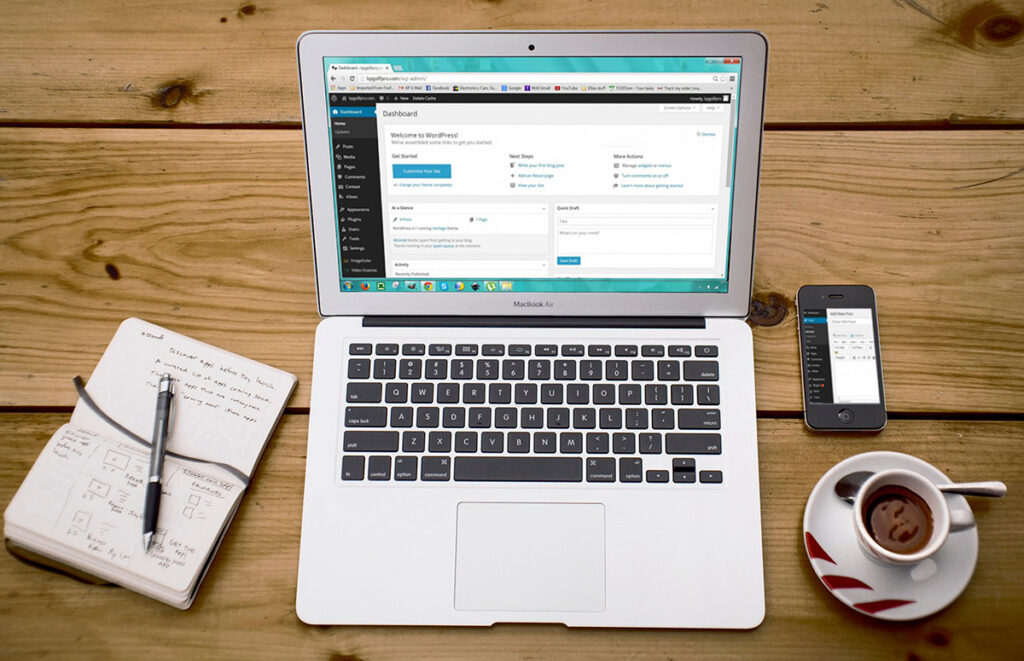
Running a WordPress website is a fantastic way to share your ideas, products, or services with the world. However, the world of the internet is not always a safe place. Cyber threats are constantly evolving, and your website needs robust protection. That’s where WordPress security plugins come into play. In this blog post, we will explore the best WordPress security plugins to help you fortify your website against threats. Conclusion In today’s digital landscape, website security is non-negotiable. Choosing the right WordPress security plugin can make a significant difference in safeguarding your website against cyber threats. The plugins mentioned in this article offer a wide range of security features, so you can select the one that best suits your needs and preferences. Remember that no security plugin can provide 100% protection, so it’s essential to adopt good security practices, such as keeping your WordPress core, themes, and plugins up to date, using strong and unique passwords, and regularly backing up your website. With the right combination of security measures and a reliable WordPress security plugin, you can enjoy peace of mind and focus on growing your online presence without worrying about potential security breaches.