
Revealing the Secrets Behind ‘Cookie Preferences’ Pop-Ups

Introduction If you’re an internet user, you’ve likely encountered those annoying pop-up messages that ask for your consent to use cookies on a website. These little windows often come with a myriad of options and confusing language. What do they mean, and why should you care? In this blog post, we’ll demystify those ‘Cookie Preferences’ pop-ups and help you understand their significance. Before diving into cookie preferences, let’s start with the basics: what are cookies? In the digital realm, cookies are not delicious baked goods but rather small pieces of data stored on your device by websites you visit. They serve several purposes: a. Session Management: Cookies help websites keep track of your login status and remember your preferences while you navigate the site. b. Personalization: Websites use cookies to tailor content and advertisements to your interests and browsing history. c. Analytics: Cookies are also crucial for website owners to analyze user behavior and improve their services. Many countries and regions have enacted data protection laws, such as the General Data Protection Regulation (GDPR) in Europe or the California Consumer Privacy Act (CCPA) in the United States. These laws require websites to obtain explicit consent from users before collecting and processing their data, including through cookies. The ‘Cookie Preferences’ pop-up is a mechanism for obtaining this consent. Understanding the different types of cookies can help you make informed choices when you encounter a cookie preferences pop-up. Here are the main categories: a. Necessary Cookies: These cookies are essential for a website to function properly. They are usually not subject to user consent because they ensure basic features like page navigation and security. b. Functional Cookies: These cookies enhance user experience by remembering settings and preferences. c. Performance Cookies: These cookies collect data about how you use a website, such as which pages you visit most. The information is used to improve site performance. d. Targeting or Advertising Cookies: These cookies track your online behavior and are used for targeted advertising. This is where privacy concerns often arise. When you encounter a cookie preferences pop-up, you typically have several options: a. Accept All Cookies: This option allows the website to use all cookies, including tracking and advertising cookies. b. Reject All Cookies: This option refuses all cookies except necessary ones, which could limit your website experience. c. Customize Your Settings: This is where you can fine-tune your preferences. You can enable or disable specific cookie categories according to your preferences. Understanding and customizing your cookie preferences is crucial for a few reasons: a. Privacy: By customizing your settings, you can limit the personal data collected by websites, enhancing your online privacy. b. User Experience: Tailoring your cookie preferences can help you have a better user experience by allowing or blocking certain features. c. Compliance: It helps websites comply with data protection regulations and respect your rights as a user. Conclusion ‘Cookie Preferences’ pop-ups are not just pesky annoyances; they are tools that empower you to control your online privacy and experience. By understanding the different types of cookies and the options these pop-ups provide, you can make informed choices about how your data is used while browsing the web. So, next time you see one of those pop-ups, take a moment to configure your preferences, and you’ll have a more enjoyable and privacy-conscious online experience.
ChatGPT Now Surfs the Web: Integrating Real-Time Information for More Informed Responses

Introduction: In a groundbreaking development, OpenAI has equipped its popular AI model, ChatGPT, to browse the web and access up-to-date information. This enhancement promises to make ChatGPT an even more valuable tool by allowing it to respond based on the latest data available on the internet. Let’s explore how this new feature works and what it means for users. The Evolution of ChatGPT: ChatGPT, based on the GPT-3.5 architecture, was already a versatile AI model capable of generating human-like text and providing valuable insights. However, its knowledge was limited to the data it had been trained on, which only extended up until January 2022. This restriction limited its ability to provide real-time or post-cutoff date information. The Web Integration Feature: With the integration of web browsing capabilities, ChatGPT can now access information from the internet in real-time. This means that when users ask questions or seek information beyond the model’s training data, it can fetch and incorporate the most recent and relevant online data. This feature opens up a world of possibilities for users who rely on ChatGPT for a wide range of tasks. Use Cases and Implications: The ability to browse the web has numerous practical applications. Some potential use cases include: Privacy and Safeguard Measures: OpenAI has taken steps to ensure the responsible and ethical use of ChatGPT’s web integration feature. It respects website terms of service and does not access or retrieve information from paid or subscription-based websites. Additionally, safeguards are in place to prevent the model from engaging in harmful or unethical behavior. Conclusion: Adding web browsing capabilities to ChatGPT represents a significant step forward in AI. It empowers users to access current information, making the AI model an even more valuable resource in various domains. However, it’s essential to use this feature responsibly and ethically. ChatGPT’s newfound ability to access the web is a testament to the ever-evolving landscape of artificial intelligence, and it opens the door to exciting possibilities for the future.
Key Differences Between Landing Pages and Websites: Which One Do You Need?

Introduction Regarding online presence and marketing, “landing pages” and “websites” are often used interchangeably, but they serve different purposes and have distinct characteristics. Understanding these differences is crucial for anyone seeking to optimize their online strategy. In this blog post, we’ll explore the critical distinctions between landing pages and websites and help you determine which one is best suited for your specific goals. Landing Pages: Websites: Landing Pages: Websites: Landing Pages: Websites: Landing Pages: Websites: Conclusion Landing pages and websites are essential to any online presence strategy, but they serve different roles. Landing pages are laser-focused on conversions and are best suited for specific marketing campaigns, while websites are comprehensive platforms that offer a wealth of information. To decide which one is right for your needs, consider your goals, audience, and the nature of the content you wish to present. In many cases, combining both may be the most effective approach, with landing pages driving targeted campaigns and websites providing a holistic overview of your brand or business.
Protecting Your Digital Fortress: A Comprehensive Guide to Guarding Against Online Fraud

Introduction In today’s digital age, online fraud has become a widespread and sophisticated threat that can target anyone, from individuals to businesses. As more personal and financial information moves online, we must proactively protect ourselves from cybercriminals. This blog post aims to provide a comprehensive guide on preparing and protecting yourself from online fraud. Educating yourself is the first and most crucial step in defending against online fraud. Be aware of the various types of online fraud, such as phishing, identity theft, ransomware attacks, and more. Stay updated on the latest scam tactics and security threats to recognize them when they come your way. One of the simplest yet most effective ways to protect yourself online is by using strong and unique passwords for your accounts. Avoid using easily guessable information like birthdates or “password123.” Instead, create complex passwords with upper- and lower-case letters, numbers, and special characters. Consider using a reputable password manager to store and manage your passwords securely. Two-factor authentication adds an extra layer of security by requiring you to provide a secondary verification method, such as a code sent to your smartphone and your password. Enable 2FA wherever possible, as it significantly reduces the risk of unauthorized access to your accounts. Phishing emails are a common tactic used by cybercriminals to trick individuals into revealing personal information. Be cautious when receiving unsolicited emails or clicking on links. Check the sender’s email address for authenticity, and never provide sensitive information through email. Instead, verify the source by contacting the organization directly. Cybercriminals often target vulnerabilities in outdated software to gain access to your system. Ensure your operating system, antivirus software, and all applications are regularly updated to patch security holes. Be cautious about sharing personal information on social media and other websites. Be mindful of what you post, as fraudsters can use this information to steal your identity or execute social engineering attacks. When shopping online, only use well-known and trusted websites. Check for secure payment options and confirm the website’s legitimacy by reading reviews and verifying their contact information. Regularly review your bank and credit card statements for any unauthorized transactions. If you notice any suspicious activity, report it immediately to your financial institution. Avoid using public Wi-Fi for sensitive activities, like online banking or shopping. Public Wi-Fi networks are often less secure and can make it easier for hackers to intercept your data. Install reputable antivirus and antimalware software to protect your devices from viruses and malware. Regularly run scans to detect and remove any potential threats. Conclusion Online fraud is a constant threat, but with the right precautions and vigilance, you can significantly reduce your risk. By educating yourself, using strong passwords, enabling 2FA, and staying cautious when handling emails and personal information, you can build a strong defense against cybercriminals. Remember that your online security is an ongoing commitment, and staying informed about emerging threats is essential in this ever-changing digital landscape. Protect yourself and enjoy a safer and more secure online experience.
Pros and Cons of Drag-and-Drop Website Builders

In the fast-paced digital age, having a strong online presence is crucial for businesses and individuals alike. Thanks to advancements in web development, creating a website is no longer a task reserved for coding experts. Drag-and-drop website builders have emerged as a popular solution, offering an easy and accessible way to build websites without in-depth technical knowledge. However, like any tool, they come with their own set of advantages and drawbacks. In this blog post, we will explore the pros and cons of drag-and-drop website builders to help you decide whether they are the right choice for your web development needs. Pros: Cons: In conclusion, drag-and-drop website builders are an excellent choice for individuals and small businesses looking for a simple, cost-effective way to establish an online presence. However, they may not be suitable for complex, highly customized, or rapidly growing websites. It’s essential to weigh the pros and cons carefully and consider your long-term goals when deciding whether to use a drag-and-drop builder or a more traditional, custom-coded website. Ultimately, the right choice will depend on your specific needs and level of expertise.
Keeping Your Website Content Fresh: It’s Never Truly ‘Finished

In the dynamic world of the internet, your website should be viewed as a living entity that evolves and adapts over time. Just because your website is “done” doesn’t mean it’s finished. To keep your online presence relevant, engaging, and practical, it’s crucial to refresh and update your content consistently. In this blog post, we’ll explore why maintaining fresh content is vital and provide helpful tips on how to do it effectively. 1. The Importance of Fresh Content Imagine your website as a virtual storefront. Would you want to visit a store with dusty shelves and outdated products? The same principle applies to your website. Here are some compelling reasons why keeping your content fresh matters: A. SEO Benefits: Search engines, like Google, reward websites that regularly update their content with higher rankings. Fresh content indicates your website is active and relevant, which can improve your search engine optimization (SEO) efforts. B. User Engagement: Outdated content can bore your visitors and deter them from returning. Fresh content keeps users engaged, encourages repeat visits, and leads to a more positive user experience. C. Authority and Trust: Consistently updating your content demonstrates your commitment to staying current and relevant in your field, establishing your website as a trusted source of information. 2. Strategies for Keeping Content Fresh Now that we understand the importance of maintaining fresh content, let’s delve into some strategies to accomplish this: A. Regular Blog Posts: Create a blog or news section on your website and commit to posting regular updates. Share industry insights, company news, and helpful tips to keep your audience informed and engaged. B. Content Calendar: Plan your content updates using a content calendar. This ensures you have a steady stream of fresh content and prevents lapses. C. Evergreen Content: Balance timely posts with evergreen content. Evergreen content addresses timeless topics that remain relevant, offering lasting value to your audience. D. Update Existing Content: Revisit and refresh older posts, pages, or articles. Update statistics, reformat for readability, and add new information to keep the content current. E. Multimedia Elements: Incorporate different types of content, such as videos, infographics, and podcasts, to diversify your content and appeal to a broader audience. F. User-Generated Content: Encourage user-generated content, such as comments, reviews, or guest posts, to keep your website interactive and demonstrate a community of engaged users. G. Social Media Integration: Promote your fresh content on social media platforms to expand your reach and attract more visitors to your website. 3. Analytics and Feedback To ensure your efforts to keep content fresh are effective, use website analytics tools to track visitor engagement, page views, and conversion rates. Pay attention to feedback from your audience through comments, emails, and social media. These insights will help you refine your content strategy over time. Conclusion Remember, the concept of a “finished” website is obsolete. To thrive online, you must continuously update and refresh your content. By doing so, you’ll improve your SEO rankings and engage your audience, establish trust, and remain a credible source of information in your field. Treat your website as a living entity, and it will reward you with increased traffic and improved online success.
The Power of Blogging: Why Having a Blog Is Essential for Your Website

In today’s digital age, having a strong online presence is crucial for businesses and individuals alike. A well-crafted website is the cornerstone of this presence, but a powerful tool often goes underestimated: a blog. In this blog post, we’ll explore why having a blog is essential for your website and how it can drive numerous benefits for your online presence. In conclusion, having a blog is not just a good idea; it’s essential for your website’s success. A well-maintained blog can drive traffic, establish authority, foster engagement, amplify your brand, generate leads, and even provide revenue opportunities. So, if you want to boost your online presence and reap the many benefits that come with it, start blogging today. Your website and your audience will thank you for it.
Unlocking Security: The Power of Password Managers

In the digital age, where nearly every aspect of our lives is interconnected through the web, the importance of online security cannot be overstated. Cyber threats are rampant, and the weakest link in the chain is often a simple, easily guessable password. In this era, the power of password managers shines brightly as a beacon of digital security, making our online lives safer and more convenient. The Password Conundrum The average person has countless online accounts, each requiring a unique and robust password. Remembering all these passwords is an impossible task for the human brain. Consequently, many people resort to using simple passwords, reusing them across multiple sites, or even writing them down, which compromises security. This is where password managers come into play. What Is a Password Manager? A password manager is a specialized software or service designed to securely store, generate, and autofill passwords for various websites and applications. Using a master password, the user can access a secure vault containing all their login credentials. Here’s why password managers are powerful: 1. Enhanced Security Password managers can generate complex, unique passwords for each of your accounts. These passwords are typically long and include letters, numbers, and symbols. With no need to remember them, there’s no temptation to choose easily guessable passwords or reuse them across different platforms. 2. Single Sign-On A master password is the only password you need to remember. Once you’ve unlocked your password manager, it automatically fills in your login information, streamlining the login process. This eliminates the hassle of typing in complex passwords manually, reducing the likelihood of mistakes and increasing overall security. 3. Encrypted Storage Password managers store your login credentials in encrypted form. Even if someone were to gain access to your vault, they would need your master password to decrypt and use the information. This multi-layered security makes it exceedingly difficult for hackers to compromise your accounts. 4. Cross-Device Accessibility Most password managers offer browser extensions and mobile apps, ensuring your passwords are accessible on all your devices. This convenience allows for seamless and secure access to your accounts, whether you’re at your computer or on your smartphone. 5. Password Health and Alerts Password managers often include features that assess the security of your passwords. They can identify weak or compromised credentials and provide alerts for breaches on websites where you have accounts. This proactive approach enables users to strengthen their online security continuously. 6. Time-Saving and Convenience One of the most significant advantages of password managers is the time and effort they save. Users no longer need to go through the tiresome process of creating, remembering, or recovering passwords. This extra convenience improves the overall online experience. Conclusion In the age of frequent data breaches and cyberattacks, password managers are a necessary tool to bolster your online security. Their power lies in their ability to simplify and enhance the way we manage our digital identities. With password managers, you can enjoy the convenience of easy logins without compromising on security. So, take the first step towards securing your digital life and unlock the full potential of password managers today. Your online accounts will thank you.
Copyright Infringement Prevention for Websites and Blog Posts
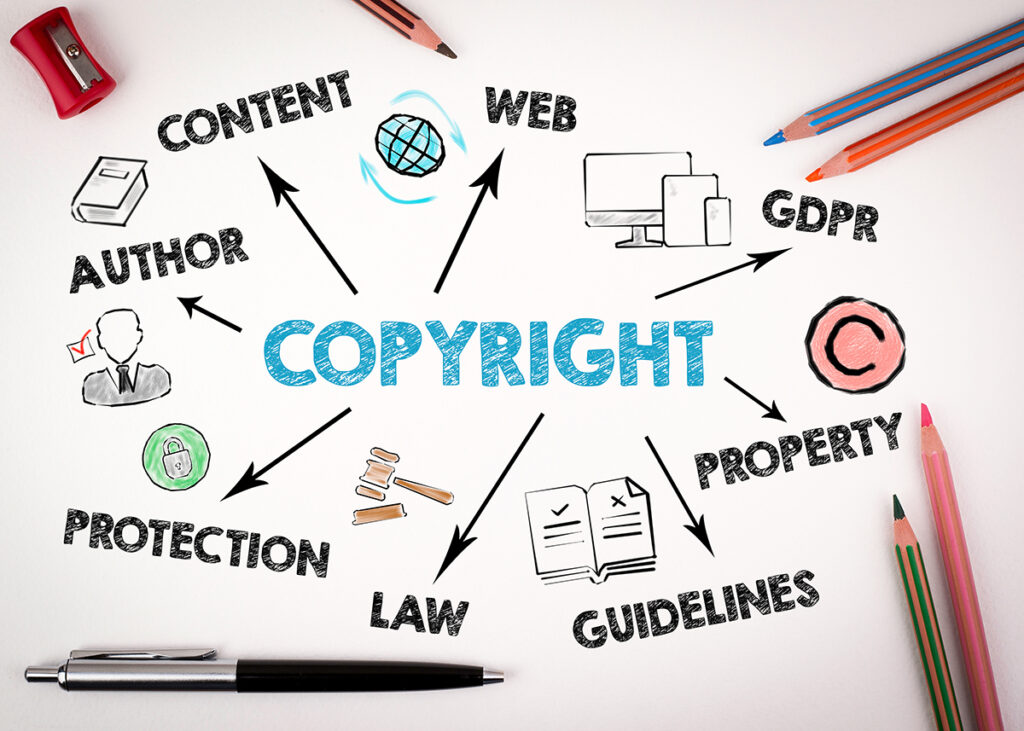
Introduction The internet has become a treasure trove of information and creativity in the digital age. However, it has also brought about new challenges, including the rampant issue of copyright infringement. For website owners and bloggers, it’s essential to understand the importance of copyright protection and how to prevent unintentional infringement. In this blog post, we’ll explore copyright infringement prevention strategies to help you stay on the right side of the law and protect your intellectual property. Understanding Copyright Before diving into prevention strategies, it’s crucial to grasp the basics of copyright. Copyright is a form of legal protection granted to creators of original works, such as text, images, music, and videos, giving them exclusive rights to reproduce, distribute, and display their work. This protection is automatic upon creation and doesn’t require formal registration. Creating and using original content is the simplest way to prevent copyright infringement. This applies to text, images, videos, and other media on your website or blog. When you make your content, you retain complete control, eliminating the risk of using someone else’s work without permission. If you wish to use content created by others, ensure you have the necessary licenses or permissions. Creative Commons licenses, for example, allow creators to share their work with specific usage conditions. Always respect the terms of these licenses and provide proper attribution when required. Understand the concepts of “public domain” and “fair use.” Public domain works are not protected by copyright and can be freely used. Fair use allows limited use of copyrighted material without permission for purposes like criticism, commentary, news reporting, and education. However, it’s essential to understand the legal nuances of fair use and apply it correctly. Ensure you provide accurate attribution when you use someone else’s work with permission or under a Creative Commons license. This respects the creator’s rights and builds goodwill within the creative community. If you’re referencing or discussing copyrighted material, linking to the source is a good practice. This gives credit and directs your audience to the original content, promoting transparency. Some numerous websites and resources offer public domain content, which can be used without restrictions. These can be a valuable source of images, text, and other media for your blog or website. A Digital Millennium Copyright Act (DMCA) policy is a legal framework that helps protect website owners from copyright infringement claims. By having a clear DMCA policy and a designated agent to handle infringement claims, you demonstrate your commitment to addressing copyright issues. Continuously monitor your website or blog for any potential copyright infringements. Search for instances where your content might have been copied without permission. Various online tools are available to help you track and detect unauthorized use of your work. Conclusion Copyright infringement prevention is essential for website owners and bloggers to protect their intellectual property and respect the rights of others. By understanding copyright laws, using original content, obtaining permissions when necessary, and implementing best practices, you can create a digital space that respects creative works while safeguarding your own. Ultimately, a responsible and ethical approach to content creation and usage benefits both creators and consumers in the digital world.
The Power of Color Psychology in Marketing

When it comes to marketing, every detail matters. From the words you choose to the design of your logo, every element plays a role in how your brand is perceived. One often overlooked but highly influential aspect of marketing design is color. Color psychology in marketing is a powerful tool that can shape consumer perceptions, emotions, and decisions. In this post, we’ll dive into the fascinating world of color psychology and how it can be harnessed to boost your marketing efforts. Understanding Color Psychology Color psychology studies how colors can impact human emotions, behaviors, and perceptions. It’s a field explored by psychologists, marketers, and designers alike. The idea is simple: different colors can evoke different feelings and associations in people. Understanding these associations can help you make more informed choices in your marketing materials. Red: Passion and Urgency Red is a color that grabs attention immediately. It’s associated with passion, love, and excitement. In marketing, red is often used to create a sense of urgency, which can be particularly effective in sales and promotions. Fast-food chains like McDonald’s and KFC use red branding to stimulate appetite and encourage quick decisions. Blue: Trust and Stability Blue exudes trust, reliability, and professionalism. It’s a favorite for financial institutions, tech companies, and healthcare providers. Blue can help create a sense of security and competence, making customers feel more comfortable doing business with you. Green: Health and Growth Green is closely linked to nature, health, and growth. Eco-friendly and organic brands commonly use it to convey a commitment to the environment. Additionally, green can represent financial growth and prosperity, making it popular among investment and financial planning firms. Yellow: Optimism and Clarity Yellow radiates positivity, optimism, and clarity. It’s often used to catch attention and highlight important information. Brands like Ikea and Best Buy incorporate yellow into their logos and marketing materials to create a cheerful and approachable image. Black: Sophistication and Luxury Black is synonymous with sophistication and luxury. High-end brands like Chanel and Rolex frequently use black to convey exclusivity and elegance. It’s a color that signifies prestige and quality. Orange: Energy and Creativity Orange combines the energy of red with the cheerfulness of yellow. It’s a color that exudes excitement and creativity. Brands like Nickelodeon and Fanta use orange to appeal to a youthful and energetic audience. How to Use Color Psychology in Marketing Understanding the emotional impact of colors is one thing, but successfully incorporating them into your marketing materials is another. Here are some tips to get you started: Conclusion Color psychology in marketing is a fascinating and effective tool that can significantly impact how consumers perceive your brand. By understanding the emotions and associations tied to different colors, you can create marketing materials that resonate with your audience on a deeper level. So, the next time you’re designing a logo, website, or promotional campaign, remember the power of color psychology and use it to your advantage.