
Parker Web’s Magic Touch: Transforming Your Website in Just 15 Minutes
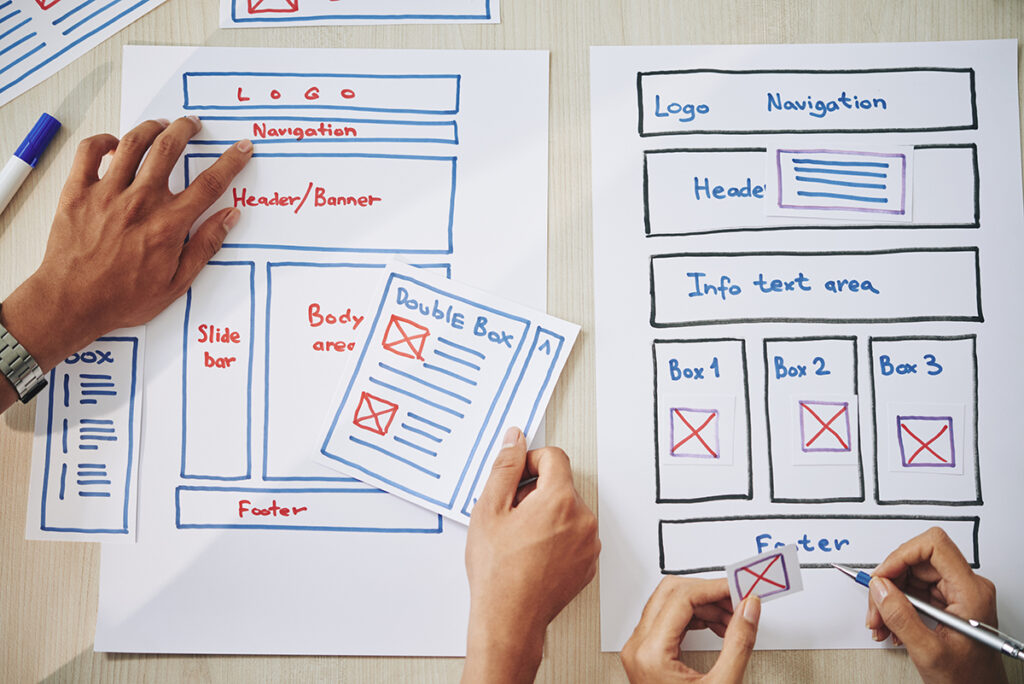
Time is precious, especially in the digital realm. As the digital world accelerates, small business owners are often left feeling that website enhancements need endless hours and extensive budgets. However, with Parker Web, that’s not the case. Here’s what our expert team can achieve for your business website with a 15-minute commitment. 1. Swift Content Revitalization What is your latest achievement, product launch, or company update? Let us craft a concise and engaging post or news update for your website, making it timely and relevant. 2. Instant Image Refresh Our design team, equipped with an extensive library of high-quality images and an eye for aesthetics, can promptly replace outdated graphics. Give your website that modern look in a quarter of an hour. 3. Inserting Credibility Boosters Hand us your recent customer praises, and watch as we elegantly weave them into your site. We’ll position these testimonials where they can have maximum impact, showcasing the trustworthiness of your business. 4. Mobile Responsiveness Check In a quick 15-minute scan, we can assess the mobile responsiveness of your site, ensuring it’s up to the mark. We’ll provide immediate recommendations for any potential areas of enhancement. 5. Quick Analytics Insight Our expertise in platforms like Google Analytics allows us to extract valuable insights about your site’s performance in no time. Understanding visitor behavior becomes simple with Parker Web. 6. A Sprinkle of SEO Magic Our SEO wizards will optimize a page or article on your site, incorporating vital keywords, enhancing meta descriptions, or adding image alt texts. All aimed to increase your visibility on search engines. 7. Social Media Integration We’ll ensure your website boasts the latest social links and active feeds. Should you branch out to a new social platform, trust that we can seamlessly integrate it into your digital space. Conclusion Website transformation doesn’t always require hours or days. With Parker Web, even a 15-minute engagement can bring noticeable, value-driven changes to your online presence. So when you think of time, remember it’s not just the duration but the expertise that counts. Let’s make every minute impactful with Parker Web.
Understanding Google PageSpeed Insights: A Guide to Faster and More User-Friendly Websites

In today’s digital age, the speed at which your website loads is critical in user satisfaction, search engine rankings, and overall online success. Slow-loading websites can drive visitors away and harm your online visibility. That’s where Google PageSpeed Insights comes into play. In this guide, we’ll explore what Google PageSpeed Insights is and how it works to help you optimize your website’s performance. What is Google PageSpeed Insights? Google PageSpeed Insights is a free online tool provided by Google that evaluates the performance of a web page and offers suggestions for improvement. It provides valuable insights into how well your website loads on mobile and desktop devices. The tool generates a score from 0 to 100, indicating the overall performance of your web page. How Does Google PageSpeed Insights Work? Google PageSpeed Insights assesses your website’s performance using a variety of factors and metrics. Here’s a breakdown of how it works: Why Should You Use Google PageSpeed Insights? Improving your website’s performance with the help of PageSpeed Insights has several benefits: Conclusion Google PageSpeed Insights is a valuable tool for website owners and developers looking to enhance their web page’s performance. Analyzing your site, providing actionable recommendations, and offering insights into user experience empowers you to create faster, more user-friendly websites that rank better in search results and convert more visitors. So, if you haven’t already, give Google PageSpeed Insights a try today and start optimizing your website for success in the digital world.
The Power of Building A Strong Brand
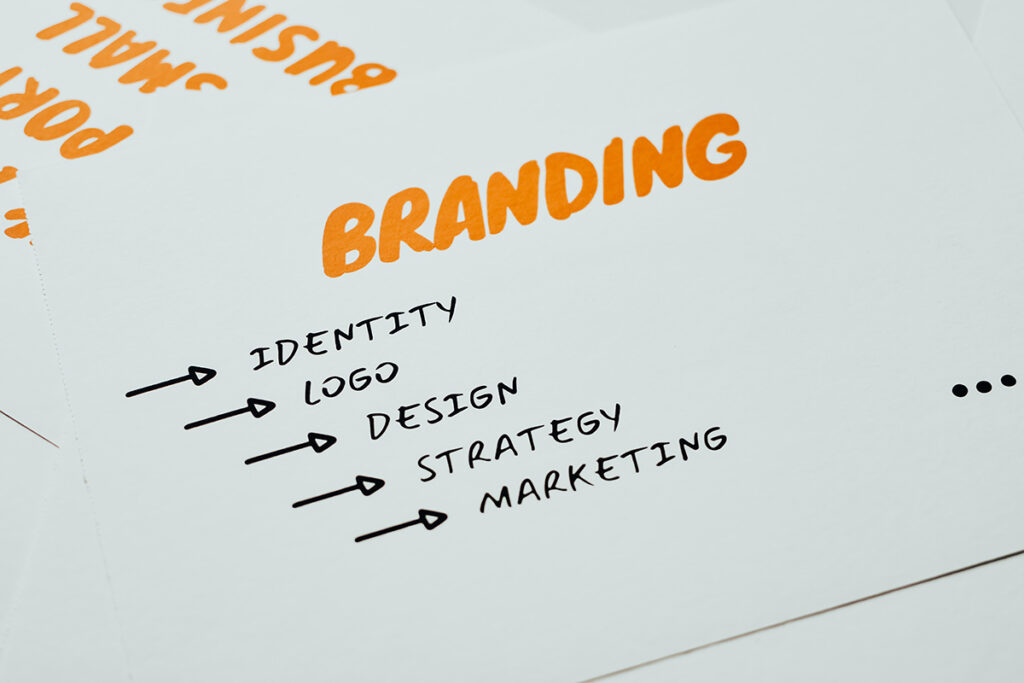
In today’s competitive business landscape, creating a strong brand is essential for long-term success. Your brand is not just a logo or a catchy tagline; it’s the essence of your business, the perception that customers have, and the promise you deliver. Here are some key benefits of investing in and nurturing a strong brand: 1. Recognition and Recall A strong brand is easily recognizable and memorable. Think about iconic logos like Apple’s apple or Nike’s swoosh. These symbols instantly connect with their respective brands, making them stand out in a crowded marketplace. When customers can easily recognize and recall your brand, it increases the likelihood of them choosing your products or services. 2. Trust and Credibility Trust is the foundation of any successful business relationship. A strong brand builds trust with its audience by consistently delivering on its promises. When customers know what to expect from your brand and have positive experiences, they are more likely to trust your business. Trust, in turn, leads to customer loyalty and repeat business. 3. Competitive Advantage In a competitive market, a strong brand sets you apart from your competitors. It gives you a unique identity and positioning that makes it difficult for others to replicate. Customers often choose brands they trust and identify with, even if there are similar alternatives available. This competitive advantage can translate into increased market share and higher profits. 4. Customer Loyalty A strong brand cultivates customer loyalty. When customers have a positive emotional connection with your brand, they are more likely to become repeat buyers and brand advocates. Loyalty programs, personalized experiences, and excellent customer service can all strengthen this bond and keep customers coming back. 5. Premium Pricing A well-established and trusted brand can command premium pricing for its products or services. Customers are often willing to pay more for a brand they know and trust because they perceive it as offering higher quality and reliability. This can lead to increased profitability and a healthier bottom line. 6. Flexibility and Expansion A strong brand can expand into new markets and product categories more easily. Customers who trust your brand in one area are more likely to try your offerings in others. For example, if you’ve built a strong brand in athletic shoes, branching out into sportswear or accessories becomes a natural progression. 7. Employee Pride and Engagement Your brand isn’t just for customers; it also impacts your employees. A strong brand can instill a sense of pride and purpose among your workforce. When employees believe in the brand and its values, they are more engaged and motivated, leading to better productivity and a positive workplace culture. Conclusion Building a strong brand is a long-term investment that pays off in many ways. It’s not just about aesthetics; it’s about creating a lasting impression, fostering trust, and standing out in a competitive market. Whether you’re a small startup or an established corporation, the benefits of a strong brand are undeniable and can propel your business to new heights. So, invest the time and resources needed to build and nurture your brand—it’s a strategy that will pay dividends for years to come.
It’s Time We Fix the Unethical Design of Cookie Consent Windows

Introduction In today’s digital age, the internet is an integral part of our daily lives. Whether shopping, reading the news, or simply browsing for information, websites collect data about our online behavior. Websites often present us with cookie consent windows to comply with privacy regulations. However, the design and implementation of these consent prompts have raised concerns about ethics and user consent. This blog post will delve into the issues surrounding cookie consent windows and why addressing these concerns is high time. The Cookie Conundrum Cookies, small pieces of data stored on our devices, serve various purposes on websites, from enhancing user experience to tracking user behavior for marketing and analytics. As a result, websites must obtain user consent before deploying these cookies, a requirement enforced by regulations like the General Data Protection Regulation (GDPR) and the California Consumer Privacy Act (CCPA). While the intentions behind these regulations are noble, the way many websites implement cookie consent leaves much to be desired. Here are some common issues: The Ethical Imperative The ethical issues surrounding cookie consent windows are apparent. Designing these prompts to trick or manipulate users into sharing their data violates their privacy and erodes trust in websites and online services. Ethical design should prioritize user understanding and choice. It’s essential to consider the following principles when designing cookie consent prompts: A Way Forward So, how can we address these ethical concerns surrounding cookie consent windows? Conclusion Cookie consent windows are a critical component of online privacy, and fixing their unethical design is crucial. The internet should be a space where users can make informed decisions about their data. By adhering to ethical design principles, embracing transparency, and giving users real choices, we can ensure that cookie consent prompts respect user privacy and foster trust in the digital ecosystem. It’s time for a paradigm shift in how we approach the design of these consent windows, putting the user’s rights and interests first.
Best Practices With Your Passwords

In today’s digital age, password security is more critical than ever. Your passwords are the keys to your online kingdom; if they’re not strong enough, your personal and sensitive information could be at risk. Unfortunately, many people still use weak, familiar, and easily guessable passwords, jeopardizing their accounts and data. In this blog post, we’ll highlight seven passwords you should never use to protect your online presence. 1. “123456” or “password” Believe it or not, “123456” and “password” are still commonly used. These are the first combinations hackers try when attempting to gain unauthorized access to an account. Avoid them at all costs. 2. Your Name or Commonly Known Information Using your name, birthdate, or other easily discoverable personal information as a password is terrible. Cybercriminals can often find this information through social media or public records, making it a weak choice. 3. “qwerty” or “abcdef” Sequential keyboard patterns like “qwerty” or “abcdef” are easily guessable and should be avoided. They offer little to no protection against brute force attacks. 4. “admin” or “administrator” Using default usernames such as “admin” or “administrator” as passwords is a big security risk, especially for web administrators. Cyber attackers often target these default usernames to gain control over systems. 5. “iloveyou” or Other Common Phrases Avoid using common phrases like “iloveyou,” “letmein,” or “password1.” Hackers frequently target these because of their predictability. 6. “football” or Other Sports-Related Terms If you’re a sports enthusiast, avoid using sports-related terms like “football,” “soccer,” or “baseball” as your password. These are easy to guess, especially for someone who knows your interests. 7. Short and Simple Combinations Passwords that are too short or lack complexity are easy to crack. Aim for passwords at least 12 characters long and include a mix of uppercase and lowercase letters, numbers, and special symbols for added security. Consider using a password manager to generate and store complex passwords for each account to enhance your online security. This way, you won’t have to remember them all, and you’ll reduce the risk of using weak passwords. In conclusion, your online security is only as strong as your weakest password. By avoiding these seven common and weak password choices, you can significantly improve your defenses against cyber threats and protect your digital identity. Remember, the key to a secure online presence is a strong, unique password for each account. Stay safe in the digital world by making wise password choices.
Safeguard Your Website: The Best WordPress Security Plugins
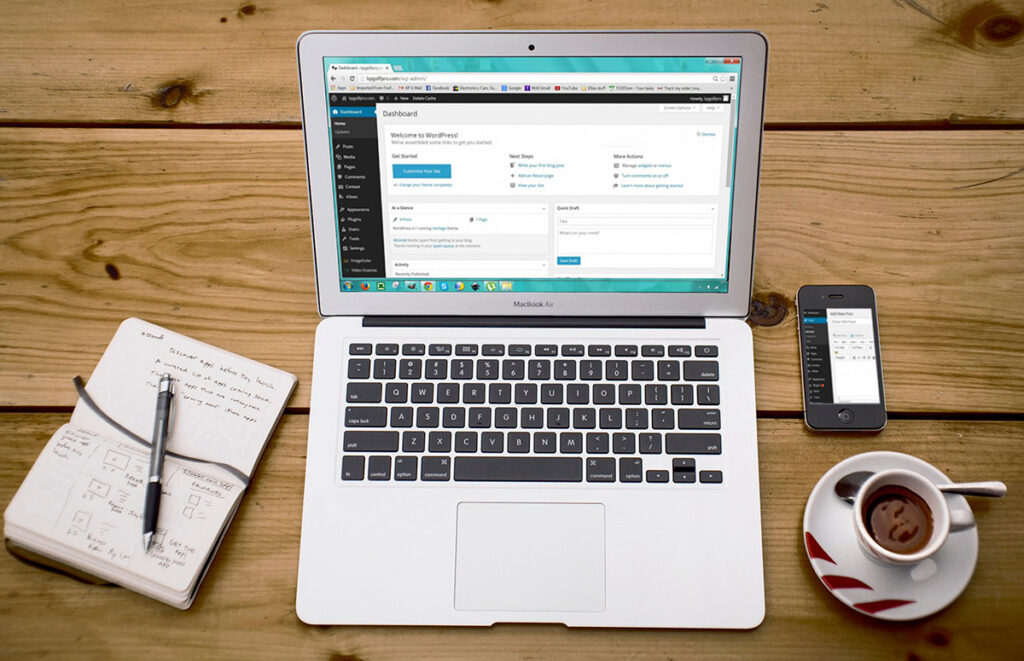
Running a WordPress website is a fantastic way to share your ideas, products, or services with the world. However, the world of the internet is not always a safe place. Cyber threats are constantly evolving, and your website needs robust protection. That’s where WordPress security plugins come into play. In this blog post, we will explore the best WordPress security plugins to help you fortify your website against threats. Conclusion In today’s digital landscape, website security is non-negotiable. Choosing the right WordPress security plugin can make a significant difference in safeguarding your website against cyber threats. The plugins mentioned in this article offer a wide range of security features, so you can select the one that best suits your needs and preferences. Remember that no security plugin can provide 100% protection, so it’s essential to adopt good security practices, such as keeping your WordPress core, themes, and plugins up to date, using strong and unique passwords, and regularly backing up your website. With the right combination of security measures and a reliable WordPress security plugin, you can enjoy peace of mind and focus on growing your online presence without worrying about potential security breaches.
Mobile Optimization: Unlocking the Power of Your Website for the Small Screen

Introduction In today’s digital age, mobile devices have become integral to our lives. Whether shopping, researching, or connecting with others, our smartphones are often our go-to companions. This shift in consumer behavior has profoundly impacted web design and user experience. Website owners must prioritize mobile optimization to keep up with the times and remain competitive. In this blog post, we’ll delve into the importance of mobile optimization and provide valuable tips to ensure your website shines on the small screen. Why Mobile Optimization Matters Mobile Optimization Best Practices Now that we understand why mobile optimization is crucial let’s explore some best practices to ensure your website performs flawlessly on mobile devices: Conclusion Mobile optimization is no longer a nice-to-have; it’s necessary in the digital landscape. Your website’s success depends on providing mobile users with a seamless and engaging experience. Following these best practices and staying updated with mobile trends ensures that your website meets and exceeds user expectations, leading to increased traffic, engagement, and conversions. Don’t wait any longer; it’s time to unlock the full potential of your website for the small screen!
Designing Your “About Us” Page for Establishing Trust and Credibility

Building trust and credibility with your online audience is crucial in the digital world’s vast landscape, where face-to-face interactions are limited. One of the most effective ways to achieve this is by crafting a compelling “About Us” page on your website. This seemingly simple page can be a powerful tool to showcase your brand’s identity, values, and expertise, ultimately building a solid foundation of trust with your visitors. In this blog post, we’ll explore key strategies for designing an “About Us” page that establishes trust and credibility. 1. Authentic Storytelling: Start with a human touch. People connect with stories, so use your “About Us” page to share the journey that led to your brand’s creation. Talk about the challenges you’ve overcome, the motivations that drive you, and the milestones you’ve achieved. Highlight personal anecdotes that resonate with your audience and showcase the real people behind your brand. This authenticity helps visitors relate to your journey and fosters a sense of connection. 2. Clear Mission and Values: Clearly state your brand’s mission and values. What do you stand for? What principles guide your decisions? When visitors understand your brand’s beliefs, they can determine whether your values align with theirs. This transparency is a cornerstone of trust-building. 3. Showcase Your Team: Introduce the key members of your team. Include their photos, job roles, and a brief expertise description. This demonstrates that your brand comprises skilled professionals passionate about what they do. Including team members’ social media profiles or professional achievements adds more credibility. 4. Visual Elements: Design your “About Us” page with visual elements that reflect your brand’s personality. High-quality photos, videos, and graphics can convey much about your company’s culture and working environment. Additionally, visual content helps break up large chunks of text and makes your page more engaging. 5. Testimonials and Awards: Showcase customer testimonials and any industry awards or recognitions you’ve received. Social proof is a powerful tool for building credibility. When potential customers see that others have had positive experiences with your brand, they’re more likely to trust you. 6. Milestones and Achievements: Highlight significant milestones and achievements your brand has reached. This could include important partnerships, product launches, or community initiatives. Milestones demonstrate your brand’s growth and commitment to excellence. 7. Transparency: Be transparent about your business operations, such as sourcing, manufacturing, or customer service processes. When you’re open about how you operate, customers feel more confident about engaging with your brand. 8. Contact Information: Ensure your contact information is easily accessible. This includes a generic email address, links to your social media profiles, and perhaps even a direct contact for media inquiries or collaborations. Easy access to contact information enhances your brand’s credibility. 9. Interactive Elements: Incorporate interactive elements like quizzes, surveys, or interactive timelines. These engage visitors and encourage them to spend more time on your page, absorbing your brand’s story and information. 10. Responsive Design: Optimize your “About Us” page for mobile devices. A significant portion of website traffic comes from mobile users. A seamless mobile experience enhances user engagement and reflects positively on your brand. In conclusion, your “About Us” page isn’t just a bland brand summary; it’s an opportunity to connect with your audience. By incorporating authentic storytelling, emphasizing your mission and values, showcasing your team’s expertise, and using visual elements effectively, you can design an “About Us” page that informs and establishes trust and credibility. Remember, the goal is to make visitors feel like they’re getting to know the people and principles that power your brand.
Empowering Education: 10 Teacher-Recommended Tech Tools for the Modern Classroom

Technology has become an invaluable asset for educators and students in the rapidly evolving landscape of education. Innovative tech tools have revolutionized how we teach and learn, from fostering engagement to streamlining administrative tasks. In this blog post, we’ll explore 10 of the best tech tools handpicked by educators to enhance the classroom experience. Google Classroom: Google Classroom remains a cornerstone of modern education. Its user-friendly interface and seamless integration with other Google tools enable teachers to create, distribute, and manage assignments while providing a centralized hub for communication and collaboration. Kahoot!: Gamification takes learning to new heights with Kahoot! This interactive platform allows teachers to create quizzes, surveys, and discussions that transform traditional assessments into engaging games. Students compete while learning, making lessons more captivating. Edpuzzle: Edpuzzle empowers educators to customize videos for educational purposes. Teachers can insert quizzes, commentary, and other interactive elements into videos, ensuring students remain actively engaged in the content. Padlet: Padlet acts as a virtual bulletin board, promoting collaboration and creativity. Teachers and students can share ideas, brainstorm, and collaborate in real-time by posting multimedia content such as text, images, videos, and links. Seesaw: Seesaw is a digital portfolio that allows students to document their learning journey with text, images, and videos. Teachers can provide feedback, fostering a personalized and reflective learning experience. Nearpod: Nearpod brings interactivity to presentations. Teachers can create interactive lessons with quizzes, polls, and virtual reality experiences, ensuring that students remain engaged and active participants in the learning process. Flipgrid: Flipgrid empowers student voices through video responses. Teachers pose questions, and students respond using short videos, encouraging peer-to-peer interaction and enhancing communication skills. Socrative: Socrative is a real-time assessment tool that enables teachers to gauge student understanding through quizzes and polls. It offers instant feedback, allowing educators to adapt their teaching strategies quickly. Quizlet: Quizlet is a versatile study tool that helps students master new concepts through digital flashcards, games, and practice tests. Teachers can create content or use existing sets, making it a valuable resource for test preparation. Classcraft: Classcraft introduces an element of gamification to classroom management. Teachers create a fantasy-themed environment where students earn points and rewards for positive behavior, fostering a cooperative and engaging classroom atmosphere. As education embraces technological advancements, these 10 teacher-recommended tech tools have proven their worth in modern classrooms. From enhancing communication and collaboration to gamifying learning experiences, these tools have redefined the way educators approach teaching and students approach learning. By integrating these innovative solutions, educators can create dynamic and interactive environments that prepare students for success in an increasingly digital world.
Understanding CTA (Call to Action)

A Call to Action, commonly called CTA, is a specific instruction or prompt designed to encourage users to take a particular action. In web development and digital marketing, CTAs are often presented as buttons, banners, or links that guide visitors toward a desired conversion. Why are CTAs important? CTAs play a vital role in achieving a website’s or marketing campaign’s goals. They create a sense of urgency or motivation for users to engage further with your content or take a desired action, such as signing up for a newsletter, purchasing, requesting a quote, or subscribing to a service. Types of CTAs Button CTAs: These are clickable elements usually styled as buttons with clear and action-oriented text, such as “Sign Up Now,” “Get Started,” or “Buy Now.” Text CTAs: Text-based CTAs are often hyperlinked phrases or sentences that prompt users to take action, like “Learn More,” “Join our Community,” or “Download the Ebook.” Image CTAs: Image-based CTAs use graphics or visuals that attract attention and encourage clicks—for example, a clickable banner featuring a product offer with a “Shop Now” message. Characteristics of Effective CTAs Clarity: A good CTA should be straightforward to understand. Avoid ambiguity and ensure the action you want users to take is crystal clear. Visibility: Make sure the CTA stands out from the rest of the content on the page. Contrasting colors and strategic placement can help draw attention to it. Compelling Copy: Use action-oriented and persuasive language that motivates users. Create a sense of urgency or value proposition to entice clicks. Relevance: CTAs should align with the content on the page and the user’s intent. Irrelevant or misleading CTAs can lead to user frustration. Mobile Responsiveness: In the era of mobile devices, it’s crucial to ensure that your CTAs are optimized for various screen sizes and devices. A/B Testing CTAs To maximize the effectiveness of your CTAs, it’s essential to conduct A/B testing. A/B testing involves creating multiple versions of a CTA and evaluating their performance to determine which resonates better with users. Color, text, size, and placement can significantly impact click-through and conversion rates. Conclusion CTAs are an indispensable tool in web development and digital marketing. Understanding their purpose and optimizing their design can improve user engagement and conversion rates. By crafting clear, compelling, and relevant CTAs, you can guide visitors toward actions that support your business objectives.